Visit PM Intelli Hub YouTube Channel

AI-Powered Skills for Project Managers

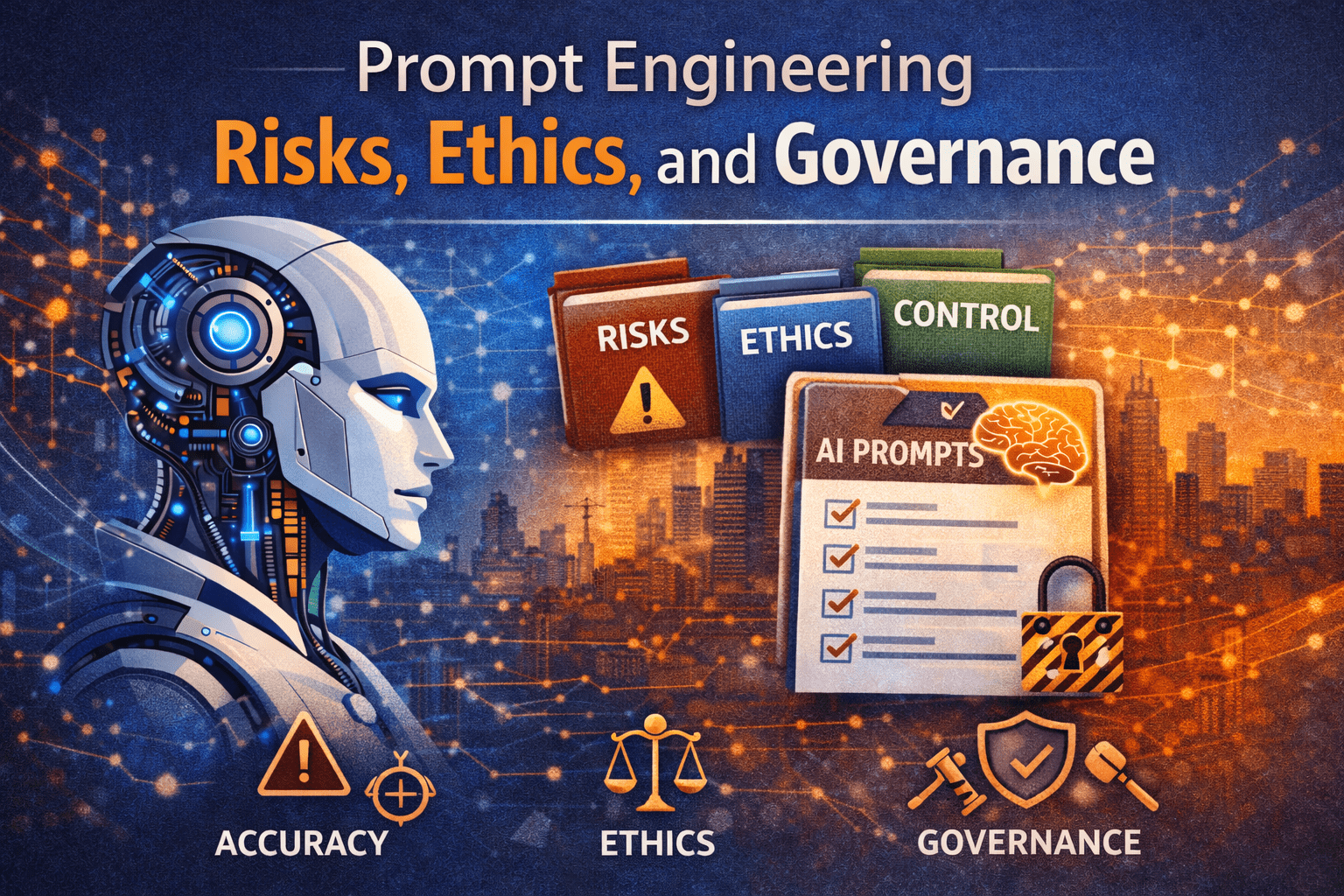
Prompt Engineering Risks, Ethics, and Governance

Why Prompt Engineering Risks Matter to Project Managers

Artificial intelligence is now embedded in daily project work. Project managers use AI to draft schedules, analyze risks, summarize meetings, and support decision-making. However, as usage grows, so do Prompt Engineering Risks.

Within project environments, prompts are not casual inputs. They directly influence scope interpretations, risk assessments, cost narratives, and stakeholder communications. Poorly designed prompts can introduce bias, expose confidential data, or produce outputs that appear credible but are factually incorrect.

For PMs, PMO leaders, and project control professionals, this creates a new responsibility. Managing AI is no longer just a technical concern. It is a governance issue tied to professional judgment, accountability, and ethical delivery.

This article explains Prompt Engineering Risks, ethics, and governance from first principles, using practical project examples and actionable guidance.


What Prompt Engineering Really Means in Project Management

Prompt engineering is the structured way a professional instructs an AI system to perform a task. In project environments, prompts shape how AI interprets data, constraints, assumptions, and expectations.

Unlike traditional tools, AI does not “know” project context unless the prompt provides it. The prompt becomes the control mechanism.

In project management, prompts are commonly used to:

  • Summarize project status reports
  • Analyze schedule risks
  • Draft stakeholder communications
  • Identify cost trends
  • Support lessons learned

When prompts are unclear or poorly governed, the outputs can mislead decision-makers.

For foundational guidance on professional AI usage, see:
https://pmintelli.com/beyond-chatgpt-essential-ai-prompts-every-project-manager-should-master/


Core Categories of Prompt Engineering Risks

1. Accuracy and Hallucination Risk

AI systems generate responses based on probability, not verified truth. When prompts request certainty without constraints, the system may fabricate details.

In project settings, this risk appears when:

  • AI estimates durations without historical data
  • Risks are generated without project constraints
  • Contract language is summarized incorrectly

Example:
A scheduler asks AI to “identify critical path risks” without providing the schedule logic. The output appears professional but is disconnected from the actual CPM network.


2. Context Loss and Oversimplification

Projects are complex systems. AI tends to simplify unless guided carefully.

Prompt Engineering Risks increase when:

  • Project constraints are omitted
  • Interfaces are ignored
  • Governance rules are not stated

This can result in recommendations that look efficient but violate contractual, regulatory, or stakeholder requirements.


3. Data Confidentiality and Exposure

One of the most serious Prompt Engineering Risks is unintentional data disclosure.

Common triggers include:

  • Copying internal reports into AI tools
  • Including contractor claims language
  • Sharing sensitive cost or risk registers

Without governance, project data can be exposed or reused outside its intended context.


4. Bias Embedded in Prompts

AI reflects the assumptions embedded in the prompt.

If a prompt assumes blame, certainty, or a preferred outcome, the response will reinforce it. This can distort:

  • Risk reviews
  • Change justification narratives
  • Performance evaluations

Bias introduced at the prompt level becomes invisible once the output is circulated.


Prompt Engineering Ethics in Project Environments

Why Ethics Apply to Prompts

Ethics in prompt engineering is not about technology. It is about professional responsibility.

Project managers influence decisions that affect:

  • Public safety
  • Financial outcomes
  • Regulatory compliance
  • Team credibility

Using AI without ethical guardrails risks undermining trust.


Ethical Principles for Prompt Engineering

1. Transparency

PMs should be clear when AI assists project work.

Ethical practice includes:

  • Disclosing AI-assisted analysis to leadership
  • Avoiding presentation of AI outputs as independent judgment
  • Maintaining human accountability

This aligns with professional standards of integrity.


2. Proportional Use

Not every project task requires AI.

Ethical prompt usage means:

  • Avoiding AI for final contractual interpretations
  • Limiting AI use in dispute narratives
  • Using AI for support, not substitution

3. Respect for Professional Judgment

AI should support, not replace, experienced judgment.

Prompts should ask AI to:

  • Present options
  • Identify risks
  • Summarize information

They should not ask AI to make final decisions without review.


Prompt Engineering Governance for PMOs

Why Governance Is Necessary

Without governance, prompt usage becomes inconsistent, risky, and untraceable.

Prompt Engineering Governance establishes:

  • Rules for acceptable use
  • Data protection boundaries
  • Review and approval expectations

This is especially critical at the PMO level.


Key Elements of Prompt Engineering Governance

1. Prompt Classification

Not all prompts carry equal risk.

A simple governance model categorizes prompts as:

  • Low risk: brainstorming, formatting, summaries
  • Medium risk: risk identification, schedule analysis
  • High risk: cost forecasts, claims language, executive recommendations

High-risk prompts require review.


2. Data Handling Rules

Governance must define:

  • What data can be shared
  • What data must be anonymized
  • What data is prohibited

This is consistent with broader project controls discipline.
See foundational controls guidance here:
https://pmintelli.com/project-control-explained-the-foundation-of-successful-project-management/


3. Review and Validation Process

AI outputs should never bypass review.

Best practice includes:

  • Technical review by subject matter experts
  • PM validation against project constraints
  • Documentation of assumptions

Step-by-Step: A Safe Prompt Engineering Workflow

Step 1: Define the Project Context Clearly

Before writing the prompt, clarify:

  • Project type
  • Phase
  • Constraints
  • Decision purpose

This reduces ambiguity.


Step 2: Frame the Prompt with Boundaries

Effective prompts include:

  • Explicit assumptions
  • Defined exclusions
  • Expected format

This controls risk.


Step 3: Request Options, Not Answers

Ask AI to present alternatives rather than conclusions.

This preserves professional judgment.


Step 4: Validate Against Project Reality

Compare outputs against:

  • Schedule logic
  • Cost baselines
  • Contract requirements

AI outputs are inputs, not decisions.


Real-World Project Examples

Infrastructure Project Example

On a transportation project, AI was used to identify schedule acceleration options. The prompt omitted environmental permit constraints.

The AI proposed resequencing that violated regulatory approvals.

Lesson: Prompt Engineering Risks often stem from missing constraints.


IT Program Example

A PMO used AI to summarize risks across multiple projects. The prompt lacked risk ownership criteria.

The output blurred accountability, creating confusion during executive review.

Lesson: Governance requires structure in prompts.


Construction Claims Context

Using AI to summarize claim narratives without legal review can unintentionally weaken position statements.

This is where ethical restraint is essential.


Common Prompt Engineering Mistakes to Avoid

  • Treating AI output as verified fact
  • Using AI for final contractual language
  • Sharing sensitive project data
  • Skipping peer review
  • Allowing untrained staff to draft high-risk prompts

These mistakes are preventable with governance.


Practical Tips PMs Can Apply Immediately

  • Create a personal prompt checklist
  • Label AI-assisted content internally
  • Use AI for drafts, not approvals
  • Maintain version control on AI outputs
  • Align prompts with project controls standards

For applied AI usage in project controls, see:
https://pmintelli.com/top-ai-tools-for-construction-project-control/


The Strategic Role of PMOs in Prompt Governance

PMOs are uniquely positioned to:

  • Standardize prompt templates
  • Define ethical boundaries
  • Train teams on responsible usage
  • Monitor AI adoption maturity

Prompt engineering is becoming a PMO capability, not an individual skill.


Strong Conclusion: Strategic Takeaway for Project Leaders

Prompt engineering is now part of project governance. Prompt Engineering Risks are real, manageable, and preventable when approached with professional discipline.

Ethical prompt usage protects credibility. Governance protects the organization. Structured prompts protect decision quality.

AI does not remove accountability from project managers. It raises the bar for how judgment, ethics, and controls are applied.

Project leaders who treat prompt engineering as a controlled professional practice—not an experiment—will gain value without compromising trust.
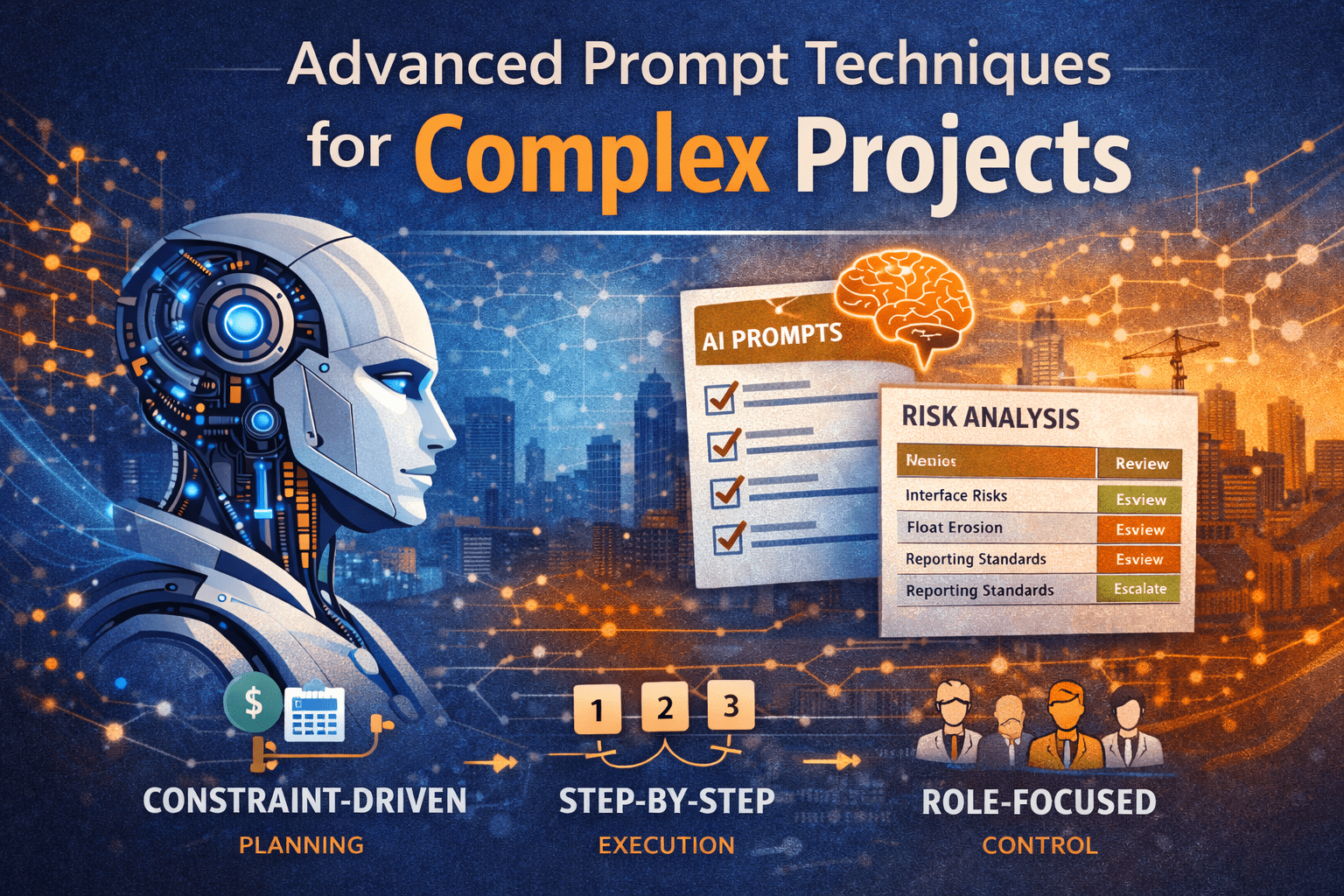
Advanced Prompt Techniques for Complex Projects

Complex projects do not fail because teams lack software or data. They struggle because information is fragmented, decisions are delayed, and insights arrive too late to matter. This is where Advanced Prompt Techniques become valuable—not as a replacement for project managers, but as a force multiplier for judgment, analysis, and communication.

When used correctly, Advanced prompts Techniques allow project managers, schedulers, and PMO leaders to extract structured, actionable insight from AI across planning, execution, and control activities. The difference between basic and advanced prompting is the difference between generic responses and decision-ready outputs.

This article explains advanced prompt techniques from scratch, shows how they apply to complex projects, and provides practical examples you can use immediately on engineering, infrastructure, IT, and PMO programs.


Why Advanced Prompt Techniques Matter in Complex Projects

Simple projects tolerate ambiguity. Complex projects do not.

Large capital programs, multi-vendor IT initiatives, and infrastructure portfolios involve:

  • Interdependent schedules
  • Competing constraints
  • Multiple stakeholders with conflicting priorities
  • Incomplete or evolving information

AI can help, but only if it is guided properly. Basic prompts such as “summarize this schedule” or “analyze project risks” produce shallow results. Advanced prompts Techniques introduce structure, assumptions, roles, and decision context into the request.

In other words, the quality of output depends on the quality of thinking embedded in the prompt.


What Makes a Prompt “Advanced”?

An advanced prompt is not longer. It is clearer.

At a minimum, advanced prompts define:

  • Context – What type of project and environment
  • Role – Who the AI is acting as
  • Inputs – What information is available
  • Constraints – Time, cost, risk, or contractual limits
  • Output format – How results should be structured

Think of advanced prompting as delegating work to a skilled analyst, not asking a search engine a question.


Core Advanced Prompt Techniques Explained Step by Step

1. Role-Based Prompting

Role-based prompting assigns the AI a professional identity relevant to the task.

Why it works:
Different roles focus on different signals. A scheduler sees logic risk. A PMO director sees governance gaps.

Example Prompt

Act as a senior project controls manager supporting a multi-contract infrastructure program. Review the following project update and identify control risks related to schedule integration and reporting consistency.

Where it helps

  • Schedule reviews
  • Cost trend analysis
  • Executive reporting
  • Claims avoidance

2. Constraint-Driven Prompting

Complex projects are defined by constraints. Advanced prompts explicitly state them.

Typical constraints include:

  • Fixed completion dates
  • Budget ceilings
  • Regulatory approvals
  • Labor or access restrictions

Example Prompt

Given a fixed completion date and no ability to add crews, analyze the schedule recovery options and identify which activities offer true float versus artificial float.

This prevents generic answers and forces realistic analysis.


3. Sequential Reasoning Prompts

Complex problems require step-by-step thinking. Advanced prompts request the reasoning process explicitly.

Example Prompt

Analyze the project delay claim using the following steps:

  1. Identify delay events
  2. Classify them as excusable or non-excusable
  3. Assess schedule impact
  4. Summarize owner exposure

This mirrors how experienced professionals actually think.


Using Advanced Prompts Across the Project Life Cycle

Initiation Phase: Shaping the Right Project

At initiation, uncertainty is high and information is limited. Advanced prompts help structure ambiguity.

Use cases

  • Business case validation
  • Stakeholder risk identification
  • Early scope definition

Example Prompt

Act as a PMO advisor. Based on the project objectives and constraints, identify hidden risks typically overlooked during project initiation for large public infrastructure projects.


Planning Phase: Turning Strategy into Control

Planning is where advanced prompts deliver the highest value.

Schedule Development and Logic Review

Example Prompt

Review this draft schedule logic as a planning-level CPM model. Identify missing predecessors, open ends, and logic that may distort float.

Cost and Resource Planning

Example Prompt

Given this cost-loaded schedule, identify periods of resource over-allocation and recommend leveling strategies without extending the project end date.


Execution Phase: Managing Complexity in Motion

During execution, advanced prompts support situational awareness.

Common applications

  • Variance analysis
  • Trend forecasting
  • Change impact assessment

Example Prompt

Act as a project controls lead. Analyze the current SPI and CPI trends and explain what corrective actions should be prioritized in the next 60 days.


Monitoring and Control: Turning Data into Decisions

This is where many teams drown in reports but lack insight.

Advanced prompts help by:

  • Explaining why metrics changed
  • Highlighting leading indicators
  • Translating data into actions

Example Prompt

Based on this monthly report, identify early warning signals that suggest future schedule slippage, even if current SPI is above 1.0.


Closeout Phase: Capturing Lessons That Matter

Closeout often becomes an administrative exercise. Advanced prompts can turn it into institutional learning.

Example Prompt

Summarize the top five project control lessons from this project and explain how they should change planning assumptions on future projects.


Real-World Examples from Complex Projects

Example 1: Transportation Infrastructure Program

A multi-year roadway expansion involved multiple contractors and overlapping work zones.

Advanced Prompt Used

Act as an independent scheduler. Identify interface risks caused by overlapping contractor schedules and propose coordination milestones.

Outcome

  • Reduced access conflicts
  • Improved milestone alignment
  • Clearer owner oversight

Example 2: Enterprise IT System Implementation

An ERP rollout suffered from repeated scope changes.

Advanced Prompt Used

Analyze the change log and identify which changes indicate scope creep versus legitimate requirement clarification.

Outcome

  • Stronger change control discipline
  • Better executive decision-making

Example 3: PMO Portfolio Reporting

A PMO struggled to explain why projects appeared “green” until late-stage failure.

Advanced Prompt Used

Review this portfolio dashboard and identify metrics that lag reality. Recommend leading indicators better suited for early intervention.

Outcome

  • Improved portfolio governance
  • Earlier escalation of issues

Common Mistakes to Avoid When Using Advanced Prompts

Even experienced professionals make these errors:

  • Asking vague questions without decision context
  • Ignoring constraints, leading to unrealistic recommendations
  • Overloading prompts with unnecessary detail
  • Accepting outputs without validation

AI supports judgment; it does not replace it.


Practical Tips You Can Apply Immediately

  • Write prompts as if briefing a senior analyst
  • Always specify the decision you are supporting
  • Request structured outputs (tables, bullets, steps)
  • Reuse and refine high-performing prompts
  • Combine AI outputs with professional review

For related guidance, link here:
👉 Project Control Fundamentals
👉 AI in Project Management


How PMOs Should Standardize Advanced Prompt Techniques

PMOs can scale value by:

  • Creating approved prompt libraries
  • Embedding prompts into reporting cycles
  • Training teams on prompt thinking, not tools

This turns AI from an experiment into an operational capability.


Strategic Takeaway for Project Leaders

Advanced prompts Techniques are not about smarter technology. They are about clearer thinking.

Complex projects demand structure, discipline, and insight. When prompts reflect how experienced professionals reason—step by step, within constraints, and tied to decisions—AI becomes a practical extension of the project controls function.

Used correctly, advanced prompting improves clarity, accelerates insight, and strengthens leadership decisions across the entire project life cycle.


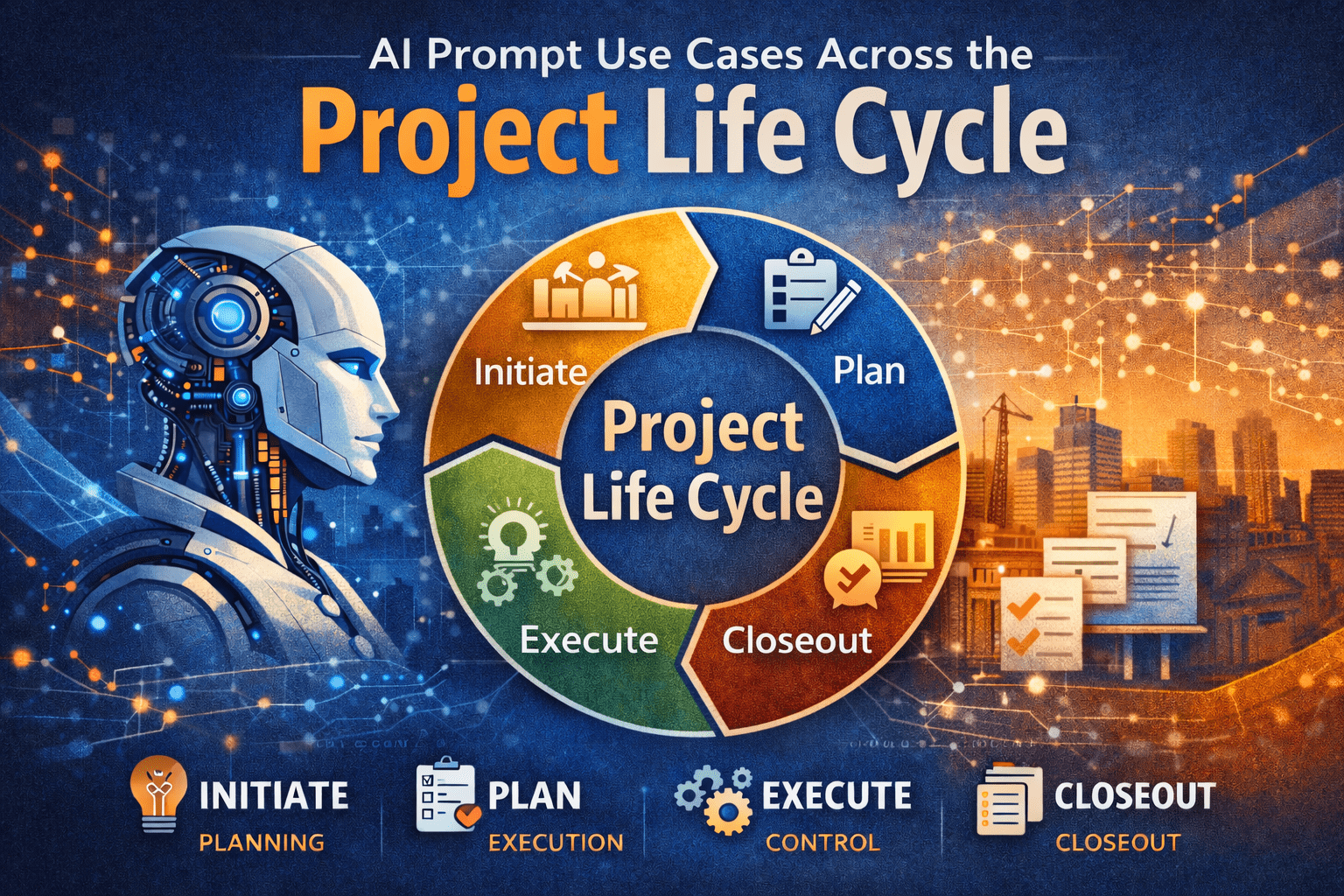
AI Prompt Use Cases Across the Project Life Cycle

Project managers are trained to think in phases. We initiate, plan, execute, monitor, and close. Each phase has different information needs, decision pressures, and stakeholder expectations. This is exactly why AI prompts across project life cycle matter.

AI is not a single-use tool for drafting emails or summarizing notes. When used deliberately, AI prompts can support every phase of the project life cycle, from early concept development through closeout and lessons learned. The value comes from aligning prompts with how projects actually progress, not from treating AI as a generic assistant.

This article explains, step by step, how project managers can apply AI prompts across the project life cycle in a practical, disciplined way—without technical jargon or unrealistic promises.


Why AI Prompts Matter Across the Project Life Cycle

Each project phase answers a different question:

  • Initiation: Should we do this project?
  • Planning: How will we deliver it?
  • Execution: Are we building what we planned?
  • Monitoring: Are we still in control?
  • Closeout: What did we learn?

AI becomes useful when prompts are designed to support those specific questions.

Unstructured prompts tend to produce:

  • Generic advice
  • Misaligned outputs
  • Content that does not fit PM workflows

Well-structured AI prompts across project life cycle help PMs:

  • Think faster, not sloppier
  • Draft first-pass deliverables
  • Improve clarity and consistency

For a deeper foundation on prompt design, see:
https://pmintelli.com/beyond-chatgpt-essential-ai-prompts-every-project-manager-should-master/


Understanding AI Prompts in Project Management Terms

An AI prompt is not a command. It is closer to a scope definition.

A strong prompt answers:

  • What role should AI play?
  • What project context applies?
  • What output is needed?
  • What constraints exist?

This mirrors how project managers already think. That is why AI prompts fit naturally into professional project management.


AI Prompts in the Initiation Phase

Purpose of the Initiation Phase

Initiation focuses on alignment:

  • Business need
  • High-level scope
  • Feasibility and risks

AI can support structured thinking before major commitments are made.


Example AI Prompt Use Cases

Use Case 1: Project Charter Drafting

Prompt example:

Act as a senior project advisor.
The project is a municipal infrastructure upgrade with multiple stakeholders.
Draft a concise project charter outline focusing on objectives, constraints, and success criteria.

AI helps generate a starting point, not a final document.


Use Case 2: Stakeholder Identification

AI prompts can help list:

  • Likely stakeholder groups
  • Typical concerns by role
  • Communication expectations

This works well when PMs are entering unfamiliar domains.


Practical Tip

Always review AI-generated initiation content against governance requirements. AI does not understand your organization’s approval thresholds.


AI Prompts in the Planning Phase

Why Planning Is the Highest-Value Phase for AI

Planning is documentation-heavy and logic-driven. That makes it ideal for AI prompts across project life cycle.

AI supports:

  • Structure
  • Consistency
  • First-pass drafts

For project controls fundamentals that align closely with planning prompts, see:
https://pmintelli.com/project-control-explained-the-foundation-of-successful-project-management/


Planning Use Cases and Prompt Examples

Scope Definition and WBS Support

Prompt example:

Act as a project controls specialist.
The project is a water treatment facility upgrade.
Develop a Level 2 WBS aligned with engineering, procurement, and construction phases.

AI helps accelerate early structuring.


Schedule Logic Review

AI can review narrative logic:

  • Sequence assumptions
  • Missing dependencies
  • Phase overlaps

This is especially useful before formal schedule submission.


Risk Register Development

Prompt example:

Identify key planning-phase risks for an IT system integration project.
Focus on interfaces, data migration, and change management.
Present results in a simple risk register table.


Table: Planning Phase AI Prompt Outputs

Planning AreaAI SupportPM Responsibility
ScopeDraft structureFinal validation
ScheduleLogic reviewTechnical accuracy
RiskRisk identificationPrioritization

AI Prompts During Execution

Execution Is About Clarity, Not Creativity

During execution, AI should support:

  • Communication
  • Documentation
  • Issue framing

AI is not managing work—it is supporting the PM.


Execution Phase Use Cases

Daily and Weekly Reporting

Prompt example:

Summarize field progress notes into a weekly status update.
Highlight accomplishments, constraints, and upcoming activities.
Keep language suitable for non-technical stakeholders.


Change and Issue Framing

AI can help PMs:

  • Structure issue descriptions
  • Separate facts from opinions
  • Draft neutral narratives

This is especially helpful in contract-heavy environments.


Real-World Example: Infrastructure Project

On a roadway rehabilitation project, the PM used AI to:

  • Draft weekly traffic impact summaries
  • Standardize contractor updates
  • Reduce report preparation time

The PM still approved all content, but preparation time dropped significantly.


AI Prompts in Monitoring and Controlling

Where AI Supports Project Controls

Monitoring is about variance, trends, and early warning. AI can help explain data—not replace it.

For dashboard-related insights that pair well with AI-generated narratives, see:
https://pmintelli.com/top-ai-tools-for-construction-project-control/


Monitoring Use Cases

Variance Explanation

Prompt example:

Explain schedule variance drivers based on delayed procurement and weather impacts.
Keep explanation factual and suitable for executive reporting.


Trend Identification

AI can review:

  • Cost narratives
  • Schedule updates
  • Risk logs

And help identify recurring themes worth escalation.


Table: Monitoring Phase AI Applications

Control AreaAI RolePM Value
CostNarrative explanationClear communication
ScheduleTrend summariesFaster insight
RiskPattern detectionEarly response

AI Prompts in Project Closeout

Why Closeout Is Often Rushed

Closeout happens when attention shifts to the next project. AI can help capture knowledge before it is lost.


Closeout Use Cases

Lessons Learned Development

Prompt example:

Draft lessons learned for a completed ERP implementation.
Focus on planning assumptions, integration challenges, and stakeholder coordination.


Final Report Structuring

AI can:

  • Organize closeout sections
  • Standardize language
  • Improve clarity

The PM ensures accuracy and completeness.


PMO Example

A PMO used AI prompts to:

  • Normalize lessons learned across projects
  • Identify recurring delivery risks
  • Improve organizational learning

For PMO-focused insights, see:
https://pmintelli.com/tag/pmo/


Common Mistakes to Avoid

1. Using the Same Prompt for Every Phase

Each phase has different objectives. Prompts must change accordingly.


2. Skipping Context

AI without context produces generic output.


3. Treating AI Output as Final

AI drafts. PMs decide.


4. Overloading Prompts

Break tasks into steps, just like real project work.


Practical Tips PMs Can Apply Immediately

  • Create prompt templates by project phase
  • Save high-performing prompts for reuse
  • Align prompts with PMO standards
  • Review AI output like junior staff work
  • Focus on clarity over cleverness

For a broader collection of PM-focused AI content, explore:
https://pmintelli.com/articles/


Strategic Takeaway

AI does not replace project management discipline. It rewards it.

Project managers who apply AI prompts across project life cycle gain speed, consistency, and clarity—without losing control. The advantage is not technical skill. It is structured thinking applied to modern tools. Used properly, AI becomes part of the project management system—not a distraction from it.

Core Prompt Frameworks for Project Management

Artificial intelligence is quickly becoming a practical assistant for project professionals—not as a decision-maker, but as a force multiplier. When used correctly, ai prompts for project managers can support planning, reporting, risk analysis, and stakeholder communication without replacing professional judgment.

However, many project managers struggle to get consistent value from AI tools. The issue is rarely the tool itself. It is the way the request—the prompt—is framed.

This article explains core prompt frameworks for project management, built from first principles and real project experience. You will learn how to structure prompts so AI produces outputs that align with how projects are actually managed: with constraints, accountability, and context.


Why Prompt Frameworks Matter for Project Managers

Project managers do not ask vague questions in real projects. We define scope, clarify assumptions, and specify constraints. AI works the same way.

Without structure, AI responses tend to be:

  • Overly generic
  • Misaligned with project realities
  • Difficult to apply directly

With structured prompts, AI can:

  • Draft first-pass schedules, reports, and analyses
  • Reframe complex information for executives
  • Support project controls without replacing expertise

This is why ai prompts for project managers should be treated as a professional skill, similar to writing a clear scope statement or risk register.


What Is a Prompt Framework?

A prompt framework is a repeatable structure for asking AI to perform a task.

It ensures the AI understands:

  • Who it is supporting
  • What role it should assume
  • What inputs it can rely on
  • What output format is required
  • What constraints must be respected

Think of a prompt framework as a mini work plan for the AI.


The Core Elements of Effective AI Prompts for Project Managers

Before diving into specific frameworks, it helps to understand the building blocks common to all effective prompts.

1. Role Definition

Tell the AI who it should act as.

Examples:

  • Project controls analyst
  • Scheduler supporting an infrastructure project
  • PMO advisor preparing executive material

This sets the tone and depth of the response.


2. Project Context

AI does not know your project unless you tell it.

Include:

  • Project type (engineering, IT, construction, PMO)
  • Delivery method (design-bid-build, agile, CM-at-risk)
  • Phase (planning, execution, closeout)

Context reduces irrelevant content.


3. Task Objective

State exactly what you want produced.

Avoid:

“Help me with my schedule.”

Prefer:

“Draft a high-level milestone schedule for stakeholder communication.”


4. Constraints and Assumptions

Projects operate under limits. AI should too.

Examples:

  • Assume incomplete data
  • Limit to one page
  • Avoid technical jargon
  • Align with PMBOK terminology

5. Output Format

Specify how the answer should be delivered.

Options include:

  • Bullet points
  • Tables
  • Step-by-step instructions
  • Executive summary

This makes the output usable immediately.


Core Prompt Frameworks for Project Management

Below are practical prompt frameworks project managers can reuse across different project types.


Framework 1: The Role–Context–Task (RCT) Framework

This is the most versatile framework for daily PM work.

Structure

  1. Role – Who the AI is acting as
  2. Context – What project environment it supports
  3. Task – What needs to be produced

Example Prompt

Act as a project controls analyst supporting a municipal infrastructure project.
The project is in early execution with partial cost and schedule data.
Draft a concise monthly status summary highlighting schedule risks and cost trends for senior management.

Where This Works Best

  • Status reports
  • Executive summaries
  • Risk narratives

This framework is ideal when speed matters and inputs are incomplete.


Framework 2: The Input–Process–Output (IPO) Framework

Project managers naturally think in terms of inputs and outputs. This framework mirrors that logic.

Structure

  • Inputs – What data is available
  • Process – What analysis or thinking is required
  • Output – What format the result should take

Example Prompt

Inputs: Weekly progress notes, baseline milestones, and key deliverables.
Process: Analyze progress against planned milestones and identify slippage drivers.
Output: A table summarizing planned vs. actual milestones with short explanations.

Where This Works Best

  • Schedule reviews
  • Cost variance explanations
  • Lessons learned

This approach aligns well with project controls workflows.
[Internal link to Project Control Fundamentals article]


Framework 3: The Constraint-Driven Prompt

AI tends to overproduce content unless constrained. This framework keeps responses focused.

Structure

  • Task definition
  • Explicit constraints
  • Quality criteria

Example Prompt

Prepare a risk register draft for an IT system implementation.
Constraints:
– Limit to 8 risks
– Focus on integration and change management
– Use non-technical language
– Present in a table with probability and impact

Where This Works Best

  • Risk workshops
  • Stakeholder-facing material
  • PMO templates

Framework 4: The Iterative Refinement Framework

This framework treats AI as a junior analyst whose work improves through direction.

Step-by-Step

  1. Generate a first draft
  2. Review and critique
  3. Refine with targeted follow-up prompts

Example Sequence

  • “Draft a preliminary work breakdown structure for a water treatment upgrade.”
  • “Refine this WBS to align with construction sequencing.”
  • “Reduce this to Level 2 for executive review.”

This mirrors how PMs already manage deliverables.


Framework 5: The Perspective-Shifting Framework

Different stakeholders care about different things. This framework adapts outputs to the audience.

Example Prompt

Rewrite this schedule narrative from the perspective of:
– An executive sponsor
– A field superintendent
– A PMO reviewer

Where This Works Best

  • Stakeholder communications
  • Steering committee decks
  • Claims avoidance documentation

Real-World Project Examples

Engineering Project Example

A project manager on a roadway rehabilitation project needs a briefing note for city leadership.

Using an ai prompts for project managers framework:

  • Role: Transportation PM advisor
  • Context: Urban infrastructure with traffic constraints
  • Task: One-page executive briefing

Result: A focused narrative explaining delays without technical overload.


IT Project Example

A PMO supporting an ERP rollout uses AI to standardize reporting.

Framework used:

  • IPO framework for weekly reports
  • Constraint-driven prompts for dashboard summaries

Outputs integrate smoothly into existing PMO processes.
[Internal link to Budget Dashboard article]


PMO Example

A PMO lead needs to train new project managers.

Using iterative prompts, AI helps:

  • Draft training outlines
  • Create case scenarios
  • Prepare discussion questions

This reduces prep time without sacrificing quality.


Common Mistakes to Avoid

Even experienced PMs make these mistakes when using AI.

1. Asking Vague Questions

AI reflects the clarity of the prompt. Vague prompts produce vague outputs.


2. Ignoring Project Context

Without context, AI defaults to generic advice.


3. Treating AI Output as Final

AI drafts. PMs decide.


4. Overloading a Single Prompt

Break complex tasks into stages, just like real project work.


Practical Tips Project Managers Can Apply Immediately

  • Save prompt frameworks as reusable templates
  • Start with executive-level outputs, then refine
  • Use AI to draft, not approve
  • Align prompts with existing PMO standards
  • Review AI output the same way you review junior staff work

For more hands-on examples, see:
[Internal link to AI Prompts for Project Managers article]


How Prompt Engineering Fits into Project Management Practice

Prompt engineering is not a technical skill. It is an extension of:

  • Clear scope definition
  • Structured thinking
  • Professional communication

In that sense, ai for project managers reinforces core PM competencies rather than replacing them.


Strategic Takeaway

AI will not manage projects for you. But project managers who master prompt frameworks will manage projects more effectively with AI.

The advantage does not come from the tool. It comes from:

  • Clear thinking
  • Structured requests
  • Professional judgment

When prompts reflect how projects are actually run, AI becomes a reliable support system—not a distraction.

How Project Managers Should Think About AI Prompts

Introduction: Why AI Prompts Matter to Project Managers

AI is no longer a background technology reserved for data scientists or IT teams. It is now a daily working tool for project managers. However, the value project managers get from AI depends less on the tool itself and more on how they communicate with it.

This is where AI prompts for project managers become critical.

A prompt is not a question typed into a chat box. It is an instruction that guides how AI thinks, analyzes, and responds. When prompts are vague, AI produces generic output. When prompts are structured with project context, constraints, and intent, AI becomes a powerful project support assistant.

Project managers who understand how to think about AI prompts gain practical advantages:

  • Faster planning and analysis
  • Better decision support
  • Clearer communication artifacts
  • Reduced administrative workload

This article explains, from first principles, how project managers should think about AI prompts, how to structure them, and how to apply them responsibly across real projects.


What Are AI Prompts for Project Managers?

AI prompts for project managers are structured instructions used to guide AI tools to perform project-related tasks such as analysis, drafting, validation, or scenario evaluation.

A strong prompt provides:

  • Context about the project
  • Intent of the task
  • Constraints the output must respect
  • Expected format of the response

Unlike search queries, prompts are operational. They ask AI to do work, not just retrieve information.

Prompt vs. Question: A Practical Difference

QuestionPrompt
What is a risk register?Act as a project risk analyst and generate a draft risk register for a wastewater treatment upgrade project with cost, schedule, and safety risks
How do I manage stakeholders?Create a stakeholder communication plan for a public infrastructure project with weekly reporting requirements
Explain earned valueReview this EVM data and identify early warning indicators of cost overrun

Project managers who treat prompts as work instructions unlock consistent, repeatable value from AI.


Why Project Managers Must Think Differently About AI Prompts

Project management is structured by nature. Scope, schedule, cost, risk, and governance all rely on clarity. AI performs best under the same conditions.

When PMs approach AI casually, results feel unreliable. When PMs approach AI the same way they approach a junior analyst—by giving clear instructions—the output improves dramatically.

Thinking properly about AI prompts allows PMs to:

  • Maintain professional judgment
  • Control assumptions
  • Reduce rework
  • Avoid misleading outputs

This mindset shift is essential for responsible AI adoption in PMOs and project teams.


A Practical Mental Model for AI Prompts

Before writing any prompt, project managers should answer five questions.

1. What Role Should AI Play?

AI works best when assigned a role.

Examples:

  • Project controls analyst
  • Risk manager
  • Scheduler assistant
  • PMO reporting specialist

Assigning a role aligns the response with professional expectations.


2. What Project Context Is Required?

AI has no awareness of your project unless you provide it.

Include:

  • Project type (engineering, IT, infrastructure)
  • Delivery model (design-bid-build, design-build, agile)
  • Phase (planning, execution, closeout)
  • Constraints (budget caps, deadlines, regulations)

Context reduces generic responses.


3. What Decision or Output Is Needed?

Every prompt should have a clear outcome.

Examples:

  • Identify risks
  • Compare scenarios
  • Draft documentation
  • Validate assumptions
  • Summarize performance

Avoid open-ended prompts that do not lead to action.


4. What Constraints Must Be Respected?

Constraints protect quality and realism.

Common constraints include:

  • Budget limits
  • Schedule milestones
  • Resource availability
  • Contractual obligations
  • Regulatory compliance

AI should work within the same rules as the project team.


5. What Format Should the Output Use?

Specify structure:

  • Table
  • Bullet list
  • Narrative summary
  • Step-by-step analysis

This improves usability and reduces editing time.


Core Prompt Structure Project Managers Should Use

A strong AI prompt for project management typically follows this structure:

  1. Role definition
  2. Project context
  3. Task description
  4. Constraints
  5. Output format

Example Prompt Structure

Act as a project controls analyst.
You are supporting a municipal infrastructure project currently in construction.
Review the provided cost and schedule data to identify early indicators of cost overrun.
Assume the project must remain within approved contingency.
Present findings in a table with recommended corrective actions.

This structure mirrors how PMs already communicate with their teams.


Applying AI Prompts Across the Project Lifecycle

AI Prompts During Project Initiation

Use AI to:

  • Draft project charters
  • Identify high-level risks
  • Clarify objectives and assumptions

Example:
Generate a draft project charter for a capital improvement project, including objectives, assumptions, constraints, and success criteria.


AI Prompts During Planning

Planning benefits significantly from structured AI prompts.

Common uses:

  • WBS validation
  • Schedule logic reviews
  • Risk identification workshops
  • Cost estimate narratives

This aligns closely with topics discussed in our video "Project Control Fundamentals"


AI Prompts During Execution

During execution, AI supports monitoring and control.

Examples:

  • Variance analysis explanations
  • Trend identification
  • Meeting summary generation
  • Action item tracking

AI should assist analysis, not replace judgment.


AI Prompts During Monitoring and Reporting

Well-written prompts help:

  • Generate executive summaries
  • Translate data into insights
  • Prepare dashboard narratives

This connects naturally to
👉 https://pmintelli.com/how-to-create-a-project-budget-dashboard-step-by-step-guide-for-project-managers/


AI Prompts During Closeout

AI can assist with:

  • Lessons learned documentation
  • Final reporting
  • Performance summaries

Prompts should focus on synthesis, not storytelling.


Real-World Project Examples

Engineering Project Example

On a transportation upgrade project, AI prompts were used to:

  • Review change order trends
  • Identify recurring root causes
  • Recommend preventive actions

The PM used AI as a structured analyst, not a decision-maker.


PMO Example

A PMO used AI prompts to standardize:

  • Status report narratives
  • Risk register descriptions
  • Executive briefings

This reduced reporting effort while improving consistency.

This approach aligns with
👉 https://pmintelli.com/beyond-chatgpt-essential-ai-prompts-every-project-manager-should-master/


Common Mistakes Project Managers Make with AI Prompts

1. Writing Prompts That Are Too Broad

Broad prompts produce shallow answers.


2. Treating AI as an Authority

AI provides suggestions, not approvals.


3. Ignoring Project Context

Without context, AI guesses—and guesses poorly.


4. Skipping Validation

Every AI output must be reviewed by a PM.


5. Using AI to Replace Thinking

AI should support thinking, not outsource it.


Practical Tips PMs Can Apply Immediately

  • Start every prompt with a role
  • Always state the project phase
  • Limit each prompt to one objective
  • Ask AI to explain assumptions
  • Request structured outputs
  • Save effective prompts as templates

Small improvements compound quickly.


Governance and Professional Responsibility

Project managers remain accountable for:

  • Decisions
  • Recommendations
  • Communications

AI does not carry accountability. PMs do.

Responsible use of AI prompts aligns with good PMO governance and ethical standards.


Strategic Takeaway for Project Managers

AI is not changing what project managers are responsible for. It is changing how efficiently they can think, analyze, and communicate.

Project managers who understand how to design strong AI prompts:

  • Reduce noise
  • Improve clarity
  • Strengthen decision-making
  • Increase professional leverage

The future belongs to PMs who can translate project thinking into precise instructions, whether for people or for AI.

Developing a Project Risk Register Using AI

Faster, Smarter, and More Predictive Risk Management

A well-built Risk Register is essential for managing uncertainty in any project. It helps project teams identify threats and opportunities, evaluate their impact, and plan proactive responses. Traditionally, creating a comprehensive register takes time, expertise, and multiple workshops.

But with today’s AI tools, you can generate a high-quality risk register in minutes—complete with probability scoring, impacts, mitigation plans, and role assignments.

Below is a step-by-step guide showing how AI transforms the risk management process, along with examples and accompanying images (generated in the next messages).


Why Use AI for Risk Management?

AI enhances risk management by:

  • Rapidly generating a comprehensive list of risks
  • Suggesting probability and impact ratings
  • Providing sample mitigation and contingency plans
  • Helping standardize risk categories across projects
  • Speeding up preparation for workshops and proposals

Instead of brainstorming from scratch, you can begin with an 80–90% complete draft and refine it with stakeholders.


Step-by-Step: Creating a Risk Register with AI


### Step 1 — Provide Project Context

AI performs best when given clear project details such as scope, duration, stakeholders, budget, and environment.

Example Input:

“Create a risk register for a 24-month wastewater pump station upgrade project. Include technical, environmental, scheduling, safety, and stakeholder risks.”


### Step 2 — Ask AI to Generate a Risk Register

A single prompt can produce an entire draft list of risks with probability, impact, score, mitigation, and owners.

Example Prompt:

“Generate a Risk Register in table format with the following columns: ID, Category, Risk Description, Probability (1–5), Impact (1–5), Risk Score, Mitigation Plan, Contingency Plan, Risk Owner.”


### Step 3 — Review & Customize

AI-generated risks are a starting point. Your team should refine:

  • Probability and impact scoring
  • Mitigation actions
  • Owners and due dates
  • Links to schedule activities

### Step 4 — Add AI-Enhanced Mitigation Strategies

AI can help expand vague mitigation plans into SMART actions.

Example:

AI-generated baseline mitigation:
“Coordinate early with utility agencies.”

Refined using AI:
“Establish biweekly coordination meetings with utility agencies; secure written relocation timelines; assign a Utility Coordinator; integrate utility impacts into the project schedule using a linked logic path.”


### Step 5 — Export to Excel, CSV, or a Dashboard

Ask AI to format the data for import into:

  • Primavera P6
  • Microsoft Project
  • Power BI
  • Excel
  • Jira or Monday.com

AI-Generated Example Risk Register

IDCategoryRisk DescriptionProbImpactScoreMitigationContingencyOwner
R-01TechnicalSubsurface unknown conditions delay excavation4520Perform geotech survey, review as-builts, schedule exploratory digsAdd float to excavation activitiesProject Engineer
R-02ScheduleLong-lead pumps arrive late3515Place order early; weekly vendor check-insTemporary bypass setupProcurement Manager
R-03EnvironmentalUnexpected permit delays3412Start permitting early; assign a permit specialistAccelerate post-approval activitiesEnvironmental Lead
R-04SafetyConfined space risks during wet well entry2510Safety training; gas monitoring; rescue planHalt work and reassess safety controlsSafety Officer
R-05StakeholderNearby residents complain about noise339Limit nighttime work; noise barriersAdjust work hoursPM

Using AI to Automate Ongoing Risk Monitoring

AI can also help:

  • Summarize weekly risk updates
  • Flag risks with increasing impact
  • Rewrite mitigation plans for clarity
  • Generate dashboard-ready summaries
  • Draft communication updates for clients

This shifts project managers from admin-heavy tasks to strategic decision-making.


Final Thoughts

AI doesn’t replace the project manager or risk manager—but it dramatically accelerates the process of creating, refining, and managing a project risk register.

You get:

✔ Faster workshops
✔ Better-quality mitigation plans
✔ A standardized approach across all projects
✔ More time for leadership and analysis

Why Prompt Engineering Matters for Project Managers

Artificial intelligence is becoming a practical tool in modern project environments, supporting planning, reporting, forecasting, and decision-making. However, many professionals quickly realize that simply using AI does not guarantee useful results. The real differentiator is prompt engineering for project managers—the ability to clearly instruct AI tools to produce structured, reliable, and relevant outputs.

For project managers, prompt engineering is not a technical exercise. Instead, it builds on familiar skills such as defining scope, setting constraints, and communicating expectations. When applied correctly, prompt engineering allows AI to enhance project controls rather than introduce uncertainty.


What Is Prompt Engineering for Project Managers?

Prompt engineering is the discipline of structuring requests so AI tools understand the task, context, and constraints before generating an output.

In project management terms, a prompt functions much like:

  • A scope statement
  • A task assignment
  • A request for analysis

Without structure, AI produces generic responses. With structure, it delivers insights aligned with project objectives.

This mirrors the principles behind effective project controls, where defined inputs lead to predictable results.
👉 https://pmintelli.com/project-control-explained-the-foundation-of-successful-project-management/


Why Prompt Engineering Matters in Project Management

AI does not independently evaluate project priorities. It responds to how instructions are framed. When prompts lack clarity, outputs often ignore cost, schedule, risk, or stakeholder considerations.

Prompt engineering matters because it helps project managers:

  • Reduce time spent drafting documents
  • Improve consistency across reports
  • Identify risks earlier
  • Support data-informed decisions
  • Maintain control over AI-assisted work

Rather than replacing judgment, prompt engineering strengthens it.


Prompt Engineering as a Natural Extension of PM Skills

Project managers already rely on structured thinking throughout the project life cycle. Prompt engineering applies the same logic to AI interaction.

Project Management PracticePrompt Engineering Equivalent
Scope definitionClear task instruction
ConstraintsBudget, schedule, resources
AssumptionsProject context
DeliverablesOutput format
Quality standardsLevel of detail

Because of this alignment, prompt engineering fits naturally within PM and PMO environments.
👉 https://pmintelli.com/what-is-a-pmo-roles-types-and-benefits-explained/


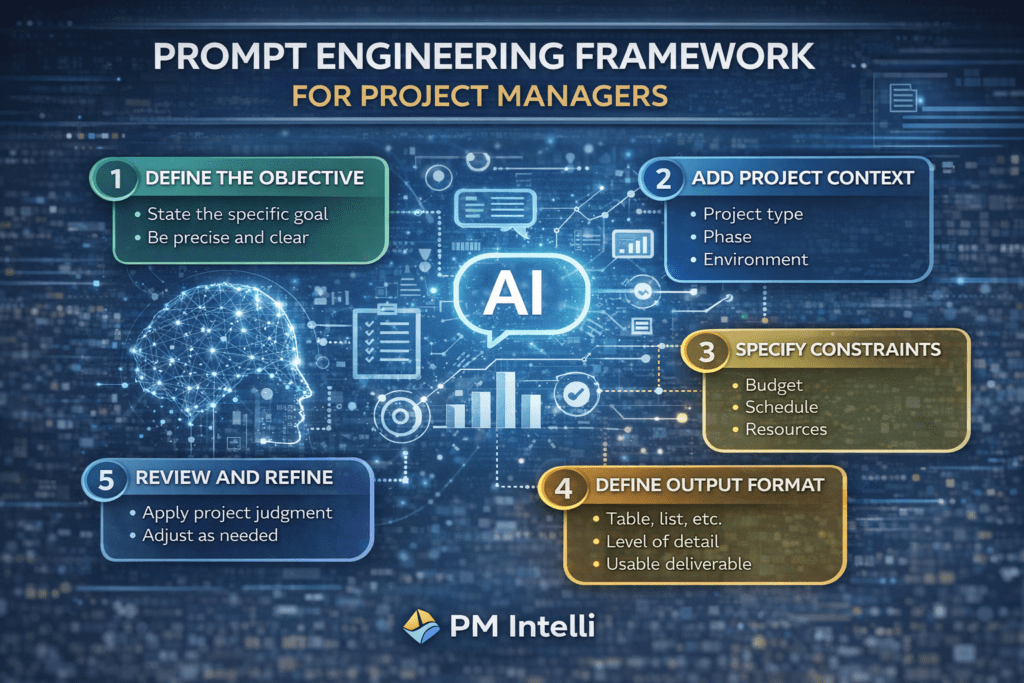
Step-by-Step: How Project Managers Should Engineer Prompts

Why Prompt Engineering Matters

Step 1: Define the Objective Clearly

Begin with a precise goal.

Weak prompt:
Create a project plan.

Strong prompt:
Create a high-level project plan for a 12-month municipal infrastructure project, including major milestones and assumptions.


Step 2: Provide Project Context

Context helps AI understand complexity and priorities. Include:

  • Project type
  • Current phase
  • Regulatory or stakeholder constraints

This is especially important when supporting different phases of the project life cycle.
👉 https://pmintelli.com/the-complete-guide-to-the-project-life-cycle-with-real-examples/


Step 3: State Constraints Explicitly

Constraints guide AI outputs toward practical solutions. Examples include:

  • Fixed budgets
  • Limited resources
  • Safety or regulatory requirements

Step 4: Specify the Output Format

AI delivers better results when expectations are clear.

Examples:

  • Tables for risk registers
  • Bullet points for action items
  • Dashboards for cost tracking

Step 5: Review and Refine

AI outputs should always be reviewed and adjusted using professional judgment. Prompt engineering supports decision-making—it does not replace accountability.


Real-World Applications of Prompt Engineering

Engineering Projects: Risk Identification

For large engineering or infrastructure projects, AI can help identify early-stage risks when guided by structured prompts.

Example use:

  • Define scope, duration, and constraints
  • Request categorized risks with mitigation strategies

👉 https://pmintelli.com/developing-a-project-risk-register-using-ai/


PMO Reporting and Governance

PMOs benefit from standardized prompts that generate consistent status reports and summaries across multiple projects.

This improves governance while reducing administrative effort.
👉 https://pmintelli.com/what-is-a-pmo-roles-types-and-benefits-explained/


Cost Management and Budget Dashboards

Prompt engineering enables AI to assist with:

  • Cost trend explanations
  • Forecast narratives
  • Dashboard KPI definitions

These outputs support cost control without bypassing controls.
👉 https://pmintelli.com/how-to-create-a-project-budget-dashboard-step-by-step-guide-for-project-managers/


Common Prompt Engineering Mistakes to Avoid

Even experienced project managers can misuse AI if prompts are poorly designed. Common mistakes include:

  • Asking vague questions
  • Ignoring constraints
  • Accepting outputs without validation
  • Treating AI as a decision-maker

Prompt engineering helps reduce these risks by enforcing structure and clarity.


Practical Prompt Engineering Tips for Project Managers

  • Treat AI like a junior analyst
  • Include scope, constraints, and assumptions
  • Request outputs aligned with PM deliverables
  • Save effective prompts for reuse
  • Apply project controls thinking to every prompt

For ready-to-use examples, see:
👉 https://pmintelli.com/beyond-chatgpt-essential-ai-prompts-every-project-manager-should-master/


Strategic Value of Prompt Engineering for PMs

Prompt engineering is quickly becoming a baseline competency for project managers.

Professionals who master it:

  • Work more efficiently
  • Communicate more clearly
  • Improve decision quality
  • Lead AI-supported teams responsibly

As AI adoption grows, the ability to guide it effectively will distinguish high-performing PMs.


Conclusion: Prompt Engineering Is About Control, Not Technology

Prompt engineering for project managers is not about mastering AI tools—it is about maintaining control.

The same principles that define good project management—clarity, structure, and accountability—also define effective prompt engineering. Project managers who adopt this skill will be better positioned to lead projects where AI plays an increasing support role.

What Is AI Prompt Engineering — Non-Technical Guide

Artificial Intelligence is rapidly becoming part of everyday project management—from drafting reports and schedules to analyzing risks and budgets. Yet many project managers feel uncertain about how to get reliable results from AI tools.

The answer lies in AI prompt engineering.

This guide explains AI prompt engineering in simple, non-technical terms, specifically for project managers, PMOs, and project controls professionals. No coding required—just structured thinking.


What Is AI Prompt Engineering?

AI prompt engineering is the practice of writing clear, structured instructions (called prompts) that guide an AI tool to produce accurate, useful, and relevant outputs.

A prompt is simply what you ask the AI to do.

For example: - “Create a project schedule” ❌ (too vague) - “Create a high-level project schedule for a 12-month water infrastructure project using CPM milestones” ✅ (well-engineered prompt)

Prompt engineering is not technical—it is intentional communication.


Why Project Managers Need Prompt Engineering Skills

Project managers already work in structured environments: - Scope definitions - Work breakdown structures (WBS) - Risk registers - Cost baselines - Status reports

AI works best when given the same level of structure.

Without prompt engineering, AI outputs may be: - Generic - Inaccurate - Misaligned with project constraints - Risky from a governance perspective

With good prompts, AI becomes a reliable project support tool.


Prompt Engineering vs. Traditional Project Communication

Prompt engineering is similar to how PMs already communicate:

Project Management SkillAI Prompt Equivalent
Scope definitionPrompt objective
Assumptions & constraintsPrompt context
DeliverablesOutput format
Stakeholder needsTone & perspective

If you can write a scope statement, you can write a good AI prompt.


What Makes a Good AI Prompt?

A strong prompt answers four basic questions:

  1. Who is the AI acting as?
    (e.g., scheduler, cost engineer, PMO analyst)
  2. What is the task?
    (e.g., develop a risk register, summarize performance)
  3. What context matters?
    (project type, duration, constraints, assumptions)
  4. What should the output look like?
    (table, bullets, executive summary)

The clearer the prompt, the better the output.


Example: Poor Prompt vs. Well-Engineered Prompt

Poor Prompt:
“Analyze project risks.”

Well-Engineered Prompt:
“Act as a project risk manager. Identify top risks for a 24-month transportation infrastructure project, categorize them by cost, schedule, and safety, and present them in a risk register table with mitigation strategies.”

The second prompt produces structured, actionable results.


Common AI Prompt Engineering Mistakes by Project Managers

Even experienced PMs make these mistakes:

  • Asking vague or open-ended questions
  • Forgetting to provide project context
  • Not specifying output format
  • Treating AI as a decision-maker instead of an assistant
  • Copying sensitive or confidential data into prompts

Prompt engineering helps reduce these risks.


How AI Prompt Engineering Fits into the Project Life Cycle

AI prompts can support every phase of a project:

Initiation

  • Drafting project charters
  • Identifying high-level risks

Planning

  • Developing WBS structures
  • Creating schedules and budgets

Execution

  • Generating status reports
  • Tracking issues and risks

Monitoring & Control

  • Analyzing cost and schedule trends
  • Forecasting outcomes

Closing

  • Lessons learned documentation
  • Final performance summaries

Prompt engineering ensures AI outputs remain aligned with each phase.


Do Project Managers Need Technical Skills to Use AI Prompts?

No.

AI prompt engineering for project managers does not require: - Programming - Data science - Machine learning knowledge

It requires: - Logical thinking - Clear communication - Understanding of project management principles

In many ways, prompt engineering is an extension of professional PM skills.


Governance and Responsibility When Using AI Prompts

AI does not replace accountability.

Project managers remain responsible for: - Verifying AI-generated outputs - Ensuring data confidentiality - Applying professional judgment - Complying with organizational policies

Prompt engineering should always support—not replace—human decision-making.


The Strategic Value of Prompt Engineering for PMs

Project managers who master prompt engineering gain: - Faster document creation - Better insights from data - Improved consistency across projects - Reduced administrative workload - Stronger decision support

As AI adoption grows, prompt engineering will become a core PM competency.


Final Thoughts

AI prompt engineering is not a technical discipline—it is a communication skill.

For project managers, it represents a natural evolution of how we define scope, manage constraints, and deliver value.

By learning how to write clear, structured prompts, project managers can turn AI from a novelty into a trusted project partner.

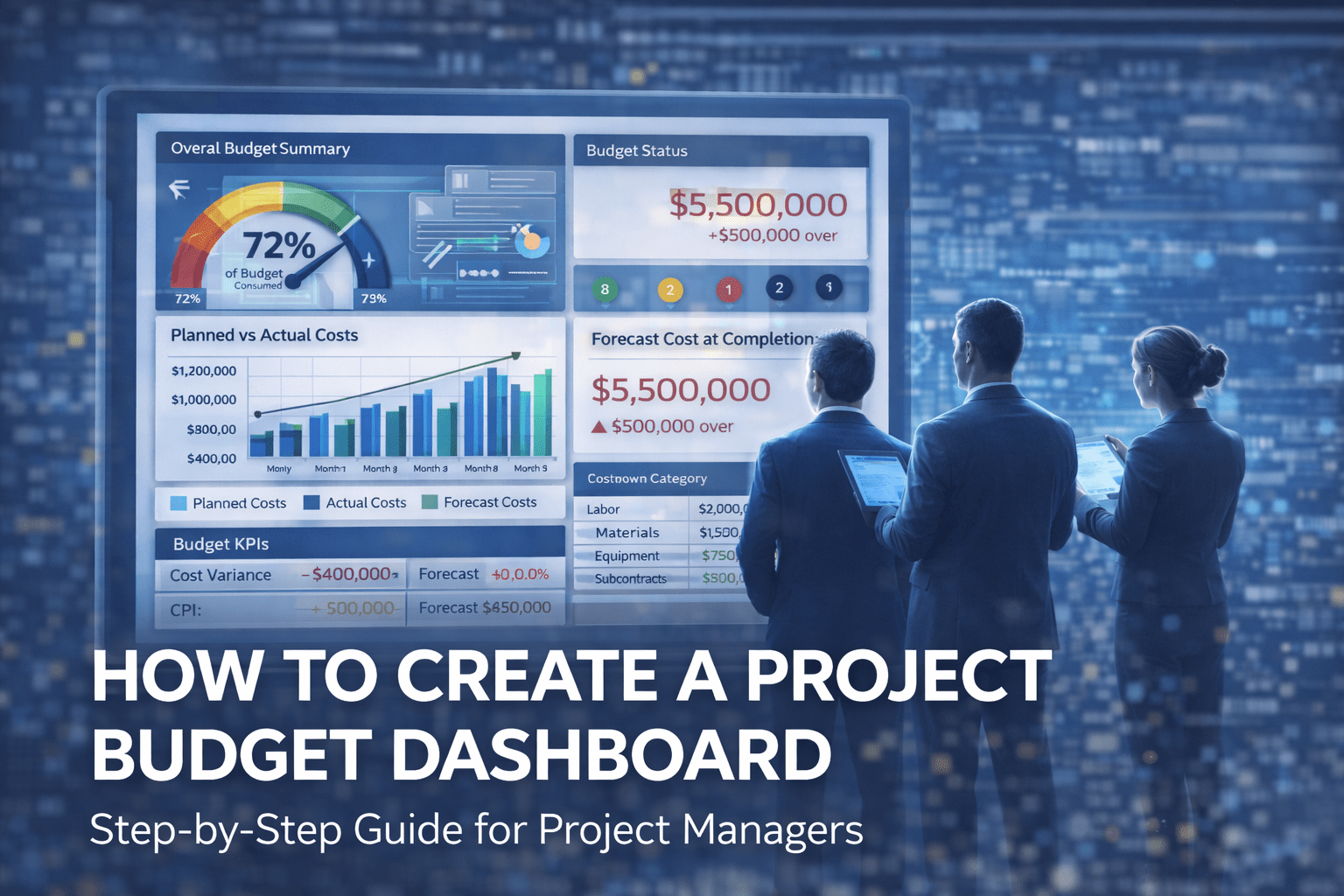
How to Create a Project Budget Dashboard

A project can appear on track while silently drifting toward a budget overrun. This is why a well-designed project budget dashboard is one of the most powerful tools in project management and project controls.

A budget dashboard transforms raw financial data into clear, actionable insights—allowing project managers to detect issues early, communicate effectively with stakeholders, and make data-driven decisions.

This guide explains how to create a project budget dashboard step by step, what metrics to include, common mistakes to avoid, and how AI is enhancing modern budget dashboards.


What Is a Project Budget Dashboard?

A project budget dashboard is a visual reporting tool that summarizes a project’s financial performance in real time or near real time. It consolidates cost data into charts, indicators, and KPIs that show:

  • Planned vs actual costs
  • Forecasted final cost
  • Cost variances and trends
  • Financial risks and exposure

Unlike static spreadsheets, dashboards provide ongoing visibility and support proactive cost management.


Why Budget Dashboards Are Critical for Project Success

Budget dashboards help project teams:

  • Detect cost overruns early
  • Improve financial transparency
  • Support executive decision-making
  • Strengthen accountability
  • Align cost, schedule, and scope

For PMOs and large engineering projects, dashboards are essential for portfolio-level oversight.


Step 1: Define the Purpose and Audience

Before building the dashboard, clarify:

Who Will Use It?

  • Project managers
  • PMO leadership
  • Executives and sponsors

What Decisions Should It Support?

  • Cost corrective actions
  • Funding approvals
  • Change management decisions

An executive dashboard should be high-level, while a project controls dashboard can include more detail.


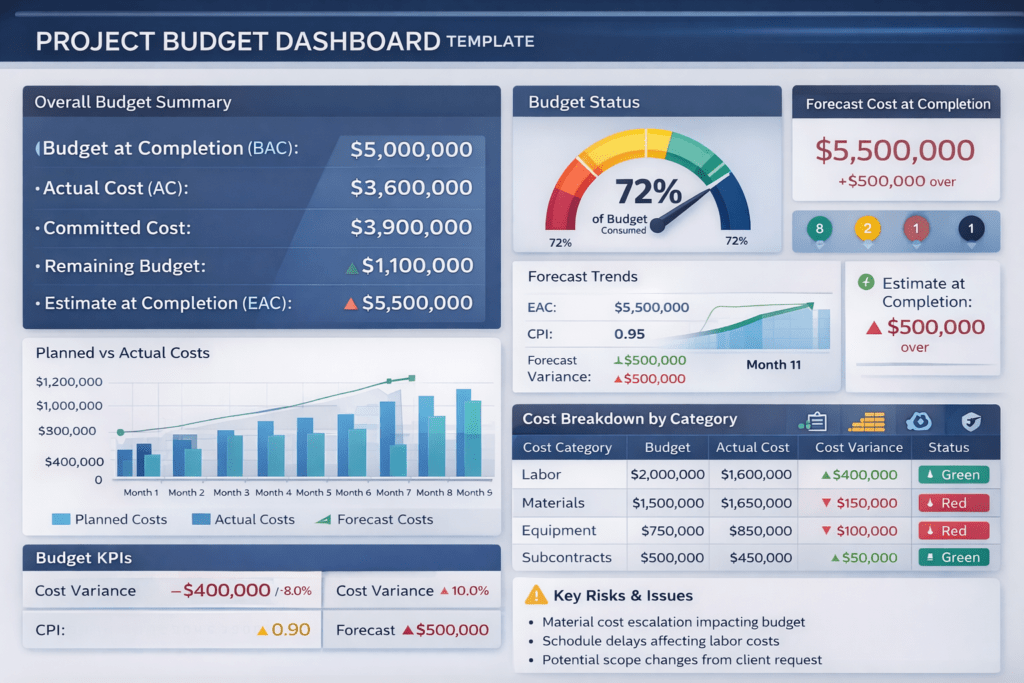
Step 2: Identify Key Budget Metrics (KPIs)

A strong project budget dashboard focuses on a limited set of meaningful KPIs.

Core Budget Metrics to Include

  • Approved Budget (BAC)
  • Actual Cost (AC)
  • Committed Cost
  • Remaining Budget
  • Estimate at Completion (EAC)
  • Cost Variance (CV)
  • Cost Performance Index (CPI)

These metrics provide a complete picture of current and future financial performance.


Step 3: Integrate Cost and Schedule Data

Budget dashboards are most effective when cost and schedule are integrated.

Examples:

  • Time-phased budgets aligned with the schedule
  • Cost performance linked to progress (earned value)
  • Forecasts adjusted based on schedule delays

This integration is a core principle of project controls best practices.


Step 4: Choose the Right Visualization Types

The way data is displayed matters as much as the data itself.

Recommended Dashboard Visuals

  • Bar charts – Planned vs actual cost
  • Trend lines – Forecast evolution over time
  • Gauge charts – Budget consumption percentage
  • Traffic light indicators – Cost status (green, amber, red)
  • Tables – Detailed cost breakdowns

Avoid clutter—clarity drives adoption.


Pmintelli Dashboard Example

Step 5: Design the Dashboard Layout

An effective layout follows a logical hierarchy:

  1. Top section – Overall budget status and key KPIs
  2. Middle section – Trends and forecasts
  3. Bottom section – Cost breakdowns and notes

Executives should understand the dashboard in less than 30 seconds.


Step 6: Automate Data Updates Where Possible

Manual dashboards quickly become outdated. Use automation to:

  • Pull data from accounting or ERP systems
  • Update forecasts automatically
  • Reduce reporting effort

Automation improves accuracy and frees project teams to focus on analysis instead of data entry.


Step 7: Add Forecasting and Scenario Analysis

A dashboard should not only show what happened—but what is likely to happen.

Advanced dashboards include:

  • Rolling forecasts
  • Best-case and worst-case scenarios
  • Risk-adjusted cost projections

This transforms the dashboard into a decision-support tool.


Common Mistakes to Avoid

  • Too many metrics on one screen
  • No clear link to decision-making
  • Static dashboards that are rarely updated
  • Ignoring forecast accuracy
  • Lack of stakeholder alignment

Simplicity and relevance are key.


How AI Is Enhancing Budget Dashboards

Modern AI-powered budget dashboards can:

  • Predict cost overruns based on trends
  • Detect anomalies in spending
  • Improve forecast accuracy
  • Generate automated insights and alerts

AI enables project managers to move from reactive reporting to predictive cost control.


Best Practices for Effective Budget Dashboards

✔ Focus on decision-driving metrics
✔ Keep visuals simple and intuitive
✔ Integrate cost, schedule, and risk
✔ Update dashboards regularly
✔ Use AI and analytics for forecasting
✔ Align dashboards with governance needs


Final Thoughts

A project budget dashboard is more than a reporting tool—it is a financial control system.

When designed correctly, it improves transparency, strengthens accountability, and enables proactive cost management. As projects grow more complex, dashboards—especially those enhanced by AI—are becoming essential for predictable project delivery.

Engineering Project Cost Management Best Practices

Engineering projects—whether in construction, infrastructure, utilities, or industrial facilities—are capital‑intensive and technically complex. Without disciplined engineering project cost management, even well‑designed projects can suffer from overruns, disputes, and loss of stakeholder confidence.

This guide explains how cost management works in engineering projects, the key processes involved, common failure points, and modern best practices—including how AI and project controls improve forecasting and financial predictability.


Table of Contents

  • What Is Cost Management in Engineering Projects?
  • Why Cost Management Is Critical in Engineering Projects
  • Key Cost Management Processes in Engineering Projects
  • Common Cost Management Challenges in Engineering Projects
  • Role of Project Controls in Cost Management
  • How AI Is Transforming Cost Management in Engineering Projects
  • Best Practices for Engineering Project Cost Management

What Is Cost Management in Engineering Projects?

Cost management in engineering projects is the structured process of planning, estimating, budgeting, controlling, and forecasting costs to ensure delivery within approved financial limits.

Unlike simple expense tracking, engineering cost management integrates:

  • Engineering quantities and design maturity
  • Construction productivity and sequencing
  • Procurement and contract strategies
  • Schedule impacts and critical path changes
  • Risk and uncertainty

Effective cost management provides early warning indicators, not just historical reporting.


Why Cost Management Is Critical in Engineering Projects

Engineering projects face unique financial pressures:

  • Long execution durations
  • Scope evolution during design development
  • Volatile labor and material markets
  • Regulatory and environmental constraints
  • High exposure to claims and change orders

Without proactive project cost control, small deviations can escalate into major overruns.


Key Cost Management Processes in Engineering Projects

1. Cost Estimating

Cost estimating establishes the financial foundation of the project. Estimates evolve as engineering maturity increases:

  • Conceptual estimates (Class 4/5)
  • Preliminary estimates (Class 3)
  • Definitive estimates (Class 1/2)

Accurate engineering cost estimates rely on:

  • Quantified takeoffs
  • Historical cost data
  • Market intelligence
  • Risk allowances

2. Cost Budgeting and Baseline Development

Once approved, the estimate becomes the cost baseline, including:

  • Direct costs
  • Indirect costs
  • Contingency
  • Management reserves

The baseline must be time‑phased and aligned with the project schedule to support effective cost control.


3. Cost Control and Monitoring

Cost control ensures actual spending aligns with the approved baseline through:

  • Tracking actual costs
  • Measuring earned value
  • Monitoring commitments
  • Identifying variances early

This allows project teams to act before overruns materialize.


4. Change Management and Cost Impact Analysis

Engineering projects inevitably experience scope changes. Effective cost management requires:

  • Formal change control procedures
  • Cost and schedule impact assessments
  • Approval documentation
  • Integration with claims management

Uncontrolled changes remain a leading cause of cost overruns.


5. Cost Forecasting and Trend Analysis

Forecasting predicts the estimate at completion (EAC) using:

  • Trend analysis
  • Earned Value Management (EVM)
  • Productivity analysis
  • Risk‑adjusted forecasting

Forecasts should be updated regularly and communicated clearly to decision‑makers.


Common Cost Management Challenges in Engineering Projects

  • Limited estimate accuracy due to early‑stage design
  • Poor integration between schedule and cost
  • Weak change control discipline
  • Delayed cost reporting
  • Reactive rather than predictive forecasting

These challenges highlight the need for strong project controls systems.


Role of Project Controls in Cost Management

Project controls integrate cost, schedule, risk, and performance measurement into a single control framework.

A mature project controls function ensures:

  • Cost and schedule alignment
  • Consistent forecasting
  • Reliable performance metrics
  • Executive‑level transparency

👉 Related reading: Project Control Explained: The Foundation of Successful Project Management


How AI Is Transforming Cost Management in Engineering Projects

Artificial intelligence is reshaping engineering cost management by:

  • Predicting cost overruns using historical data
  • Identifying abnormal spending patterns
  • Improving estimate accuracy
  • Automating cost reporting
  • Supporting scenario‑based decision making

AI allows cost managers to shift from reactive reporting to predictive and prescriptive control.

👉 Related reading: The Future of Project Management: Five AI Trends Redefining 2026 and BeyondI in Project Management: Tools, Use Cases & Future Trends


Best Practices for Engineering Project Cost Management

✔ Establish realistic, risk‑adjusted baselines
✔ Integrate cost and schedule data
✔ Apply disciplined change control
✔ Forecast costs regularly—not just monthly
✔ Use AI and analytics for early trend detection
✔ Maintain transparent stakeholder communication


Final Thoughts

Cost management in engineering projects is not merely a financial task—it is a strategic project controls discipline.

By combining sound estimating practices, integrated project controls, proactive forecasting, and emerging AI technologies, organizations can significantly improve cost predictability and reduce financial risk.

Engineering projects will always involve uncertainty—but effective cost management ensures uncertainty does not become surprise.


image_print