Visit PM Intelli Hub YouTube Channel

AI-Powered Skills for Project Managers

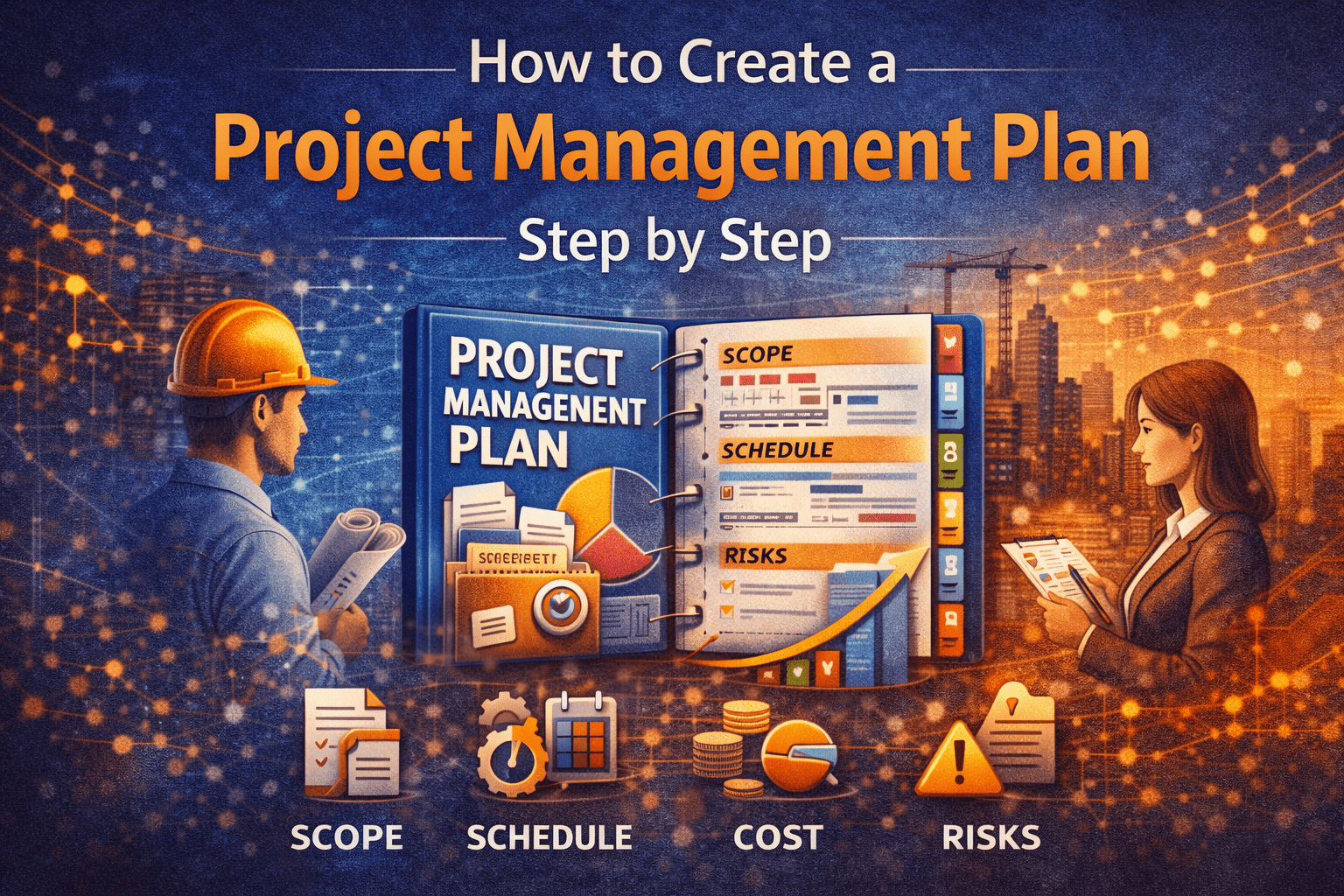
How to Create a Project Management Plan

Introduction: Why a Project Management Plan Still Matters

A Project Management Plan is not a formality. It is the single document that explains how a project will actually be managed, not just what will be delivered.

Many project failures do not occur because teams lack tools or talent. They fail because expectations, responsibilities, and decision paths were never clearly defined. A well-constructed Project Management Plan prevents this by turning assumptions into documented agreements.

This article explains, step by step, how to create a practical Project Management Plan that supports delivery, control, and decision-making across the full project life cycle.

Whether you manage engineering, infrastructure, IT, or PMO initiatives, the principles remain the same.


What Is a Project Management Plan?

A Project Management Plan is an integrated document that defines:

  • How the project will be planned
  • How work will be executed
  • How performance will be monitored and controlled
  • How changes will be evaluated and approved
  • How the project will be closed

It does not replace schedules, budgets, or risk registers. Instead, it explains how those elements work together.

Think of it as the operating manual for your project.


When the Project Management Plan Should Be Created

The Project Management Plan should be developed after project authorization but before major execution begins.

At this point:

  • The project has a sponsor
  • High-level objectives are known
  • Funding is tentatively approved
  • Key stakeholders are identified

The plan is refined as the project progresses, but the core structure should be established early.


Step-by-Step Guide to Creating a Project Management Plan

Step 1: Define Project Purpose and Objectives

Start by documenting why the project exists.

This section should clearly state:

  • The business or operational problem being solved
  • The expected outcomes
  • How success will be measured

Avoid vague language. Objectives should be specific and observable.

Example (Infrastructure Project):

The project will replace the existing pump station to increase capacity by 40% and meet updated regulatory discharge requirements.

This clarity anchors every planning decision that follows.


Step 2: Define Project Scope and Boundaries

Scope defines what is included and what is excluded.

A strong scope section includes:

  • Major deliverables
  • Key assumptions
  • Explicit exclusions
  • Interfaces with other projects or agencies

This is where many projects fail. If something is not written here, it will likely become a dispute later.

👉 Project Control Explained: The Foundation of Successful Project Management


Step 3: Establish the Project Organization and Roles

Every Project Management Plan must answer one critical question:

Who is responsible for what?

Document:

  • Project sponsor authority
  • Project manager responsibilities
  • Core team roles
  • Decision escalation paths

A simple responsibility matrix often works better than long narratives.

RoleKey Responsibilities
SponsorFunding, major approvals
Project ManagerPlanning, execution, reporting
SchedulerSchedule development and updates
Cost EngineerBudget tracking and forecasting

Clear roles reduce friction and speed up decisions.


Step 4: Define the Project Delivery Approach

Explain how work will be executed, not just who does it.

This section should address:

  • Contracting approach (design-bid-build, design-build, in-house)
  • Phasing strategy
  • Use of consultants or subcontractors
  • Coordination with operations or external stakeholders

This is especially critical for complex or multi-year projects.


Step 5: Develop the Schedule Management Approach

The Project Management Plan should describe how the schedule will be built, updated, and used.

Include:

  • Scheduling tool(s)
  • Level of detail required
  • Update frequency
  • Progress measurement method
  • Baseline control process

The plan should explain how the schedule supports decision-making, not just reporting.


Step 6: Define Cost Management and Budget Control

This section explains how money will be managed.

Cover the following:

  • Budget development method
  • Cost coding structure
  • Forecasting frequency
  • Change incorporation into budget
  • Reporting format

Cost control is not just accounting. It is a forward-looking management function.

👉 How to Create a Project Budget Dashboard: Step-by-Step Guide for Project Managers


Step 7: Establish Risk Management Procedures

Risk management must be practical to be effective.

Your plan should define:

  • How risks are identified
  • How risks are analyzed
  • Who owns each risk
  • How mitigation actions are tracked

Avoid long theoretical discussions. Focus on how the team actually uses the risk register.


Step 8: Define Change Management and Governance

Change is inevitable. Chaos is optional.

The Project Management Plan must explain:

  • What constitutes a change
  • Who can request a change
  • How impacts are evaluated
  • Who approves changes

This section protects both the owner and the project team.

Clear governance prevents informal scope growth and budget erosion.


Step 9: Establish Communication and Reporting

Projects fail when stakeholders are surprised.

Define:

  • Reporting frequency
  • Report content
  • Meeting structure
  • Information distribution methods

Different stakeholders need different levels of detail. The plan should reflect this reality.


Step 10: Define Quality Management Approach

Quality is not inspection alone.

Explain:

  • Applicable standards
  • Review and approval points
  • Documentation requirements
  • Non-conformance handling

This section aligns technical expectations before work begins.


Step 11: Plan for Project Closeout

Closeout should not be an afterthought.

Include:

  • Substantial completion criteria
  • Documentation handover
  • Financial closeout process
  • Lessons learned capture

Projects that close cleanly protect organizational knowledge.


How the Project Management Plan Is Used During Execution

A Project Management Plan should be referenced:

  • During kickoff meetings
  • When evaluating changes
  • When resolving disputes
  • When onboarding new team members

If the plan sits untouched, it has failed its purpose.


Real-World Example: Capital Infrastructure Project

On a wastewater treatment upgrade project:

  • The scope section prevented unauthorized design changes
  • The schedule management approach allowed early delay recovery
  • The change governance process reduced claims exposure

The Project Management Plan acted as a decision framework, not paperwork.


Common Mistakes to Avoid

  • Treating the plan as a template exercise
  • Writing overly generic language
  • Ignoring governance and change control
  • Failing to align the plan with actual team behavior
  • Not updating the plan when conditions change

A weak plan creates false confidence.


Practical Tips Project Managers Can Apply Immediately

  • Write the plan in plain language
  • Use tables instead of long text
  • Review the plan with stakeholders before execution
  • Reference the plan in meetings
  • Update the plan when major changes occur

A useful plan evolves with the project.

👉 AI Prompt Engineering for Project Managers: The Complete Practical Guide


Strategic Takeaway: The Plan Is a Management Tool

A Project Management Plan is not about compliance.

It is about control, clarity, and consistency.

Projects succeed when teams understand how decisions are made, how performance is measured, and how issues are resolved. A strong Project Management Plan makes that understanding explicit.

If you manage complex projects, this document is one of your most valuable tools.
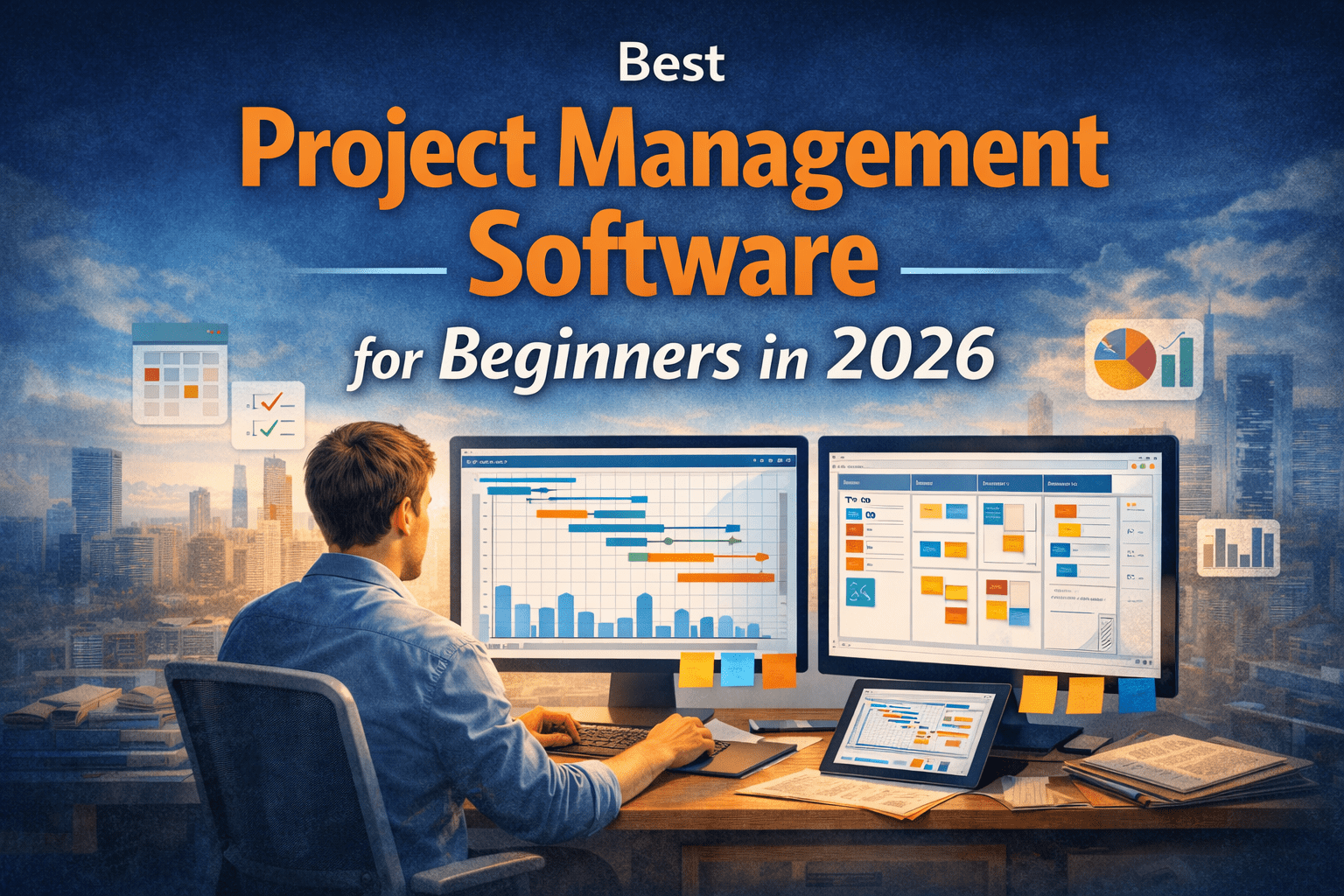

Best Project Management Software for Beginners in 2026

Choosing the right Project Management Software is one of the first real decisions that shapes how a project manager works. For beginners, this decision matters even more. The software you start with influences how you think about planning, tracking, communication, and control.

Many new project managers struggle not because they lack discipline, but because their tools either overwhelm them or hide fundamental project control concepts behind automation. The goal of this article is to explain, from first principles, how beginners should evaluate project management software in 2026 and which types of tools best support early career growth.

This is not a feature comparison or a ranking based on marketing claims. Instead, it is a practical guide written from the perspective of real project delivery across engineering, infrastructure, IT, and PMO environments.


What Is Project Management Software, Really?

At its core, Project Management Software is a structured way to answer four basic questions:

  1. What work needs to be done?
  2. When should it happen?
  3. Who is responsible?
  4. Are we on track?

Good software does not manage projects for you. It makes project behavior visible. That visibility allows project managers to detect issues early, explain trade-offs, and support informed decisions.

For beginners, software should reinforce good habits rather than replace thinking.


Why Beginners Need a Different Approach to PM Software

Experienced project managers can adapt almost any tool to their process. Beginners cannot.

The wrong software choice often leads to:

  • Overreliance on automation
  • Poor understanding of schedule logic
  • Confusing reports that nobody trusts
  • Frustration and tool abandonment

The best pm software for beginners teaches structure, not shortcuts.


Core Capabilities Beginners Should Look For

Before naming tools, it is important to define what actually matters.

1. Clear Task and Scope Structure

Beginners must learn how scope is broken down.

Look for software that supports:

  • Hierarchical task lists
  • Logical grouping of work
  • Simple dependency management

This reinforces Work Breakdown Structure (WBS) thinking, a foundational project control skill.


2. Visual Scheduling Without Hiding Logic

Scheduling is more than dates on a calendar.

Good Project Scheduling tools for beginners:

  • Show task dependencies clearly
  • Allow manual logic editing
  • Highlight critical or near-critical work

Avoid tools that auto-schedule everything without explaining why.


3. Simple Progress Tracking

Progress should reflect real work performed, not percentage guessing.

Useful features include:

  • Status-based updates
  • Planned vs. actual comparisons
  • Basic trend views

These concepts connect directly to performance measurement used in larger projects.


4. Reporting That Supports Decisions

Beginners should avoid dashboards overloaded with charts.

Instead, look for:

  • Clear schedule views
  • Simple milestone tracking
  • Variance indicators

This builds early confidence in explaining project status to stakeholders.

You can later expand reporting using concepts discussed in
[Internal link to Budget Dashboard article]


Categories of Project Management Software for Beginners

Not all software serves the same purpose. In 2026, beginner-friendly tools generally fall into four categories.

Task-Based Project Management Software

These tools focus on task lists, assignments, and collaboration.

They are useful for:

  • Small teams
  • Early-career PMs
  • Low dependency projects

However, they often lack true scheduling depth.


Scheduling-Focused Project Management Software

These tools emphasize logic-driven schedules and timelines.

They are ideal for beginners who want to:

  • Learn CPM concepts
  • Understand dependencies
  • Transition into Project Controls roles

They are commonly used in engineering and construction environments.


Hybrid PM and Project Control Software

These tools combine task management with scheduling and cost tracking.

They support:

  • PMO environments
  • Owner-side project oversight
  • Entry-level project control software users

This category often provides the best long-term learning curve.


Enterprise PMO Software (Not Beginner-Friendly)

Large enterprise platforms offer powerful integration but are rarely suitable for beginners.

They require:

  • Established processes
  • Dedicated administrators
  • Formal governance structures

Beginners should approach these later in their careers.


Best Project Management Software Characteristics for Beginners in 2026

Rather than listing brand names, this section explains what the best tools have in common.

Beginner-Friendly Software Does This Well

  • Makes dependencies visible
  • Encourages planning before execution
  • Allows manual control over schedules
  • Supports learning, not hiding complexity
  • Scales with experience

Software Beginners Should Be Cautious With

  • Fully automated scheduling with no logic view
  • Tools that focus only on visuals
  • Platforms that require heavy configuration
  • Software marketed as “set it and forget it”

Practical Comparison: What Beginners Actually Need

CapabilityWhy It MattersBeginner Priority
Task hierarchyReinforces scope controlHigh
DependenciesTeaches cause and effectHigh
BaselinesSupports performance trackingMedium
Cost linkageIntroduces project controlsMedium
Advanced analyticsUseful laterLow

This mindset keeps beginners focused on fundamentals rather than features.


Step-by-Step: How Beginners Should Select PM Software

Step 1: Define the Type of Projects You Run

Ask:

  • Are projects linear or iterative?
  • Do dependencies matter?
  • Is schedule risk a concern?

Infrastructure and engineering projects benefit from stronger scheduling tools than simple task trackers.


Step 2: Decide What You Want to Learn

Your first Project Management Software should teach you:

  • Planning discipline
  • Logical sequencing
  • Status communication

Avoid tools that promise speed at the cost of understanding.


Step 3: Start Simple, But Not Shallow

A simple interface is good. A shallow model is not.

Choose software that:

  • Starts easy
  • Reveals deeper functionality as you grow

This supports long-term career development.


Step 4: Test With a Real Project

Before committing:

  • Build a small schedule
  • Add dependencies
  • Update progress
  • Review reports

If the software helps you explain what is happening, it is doing its job.


Real-World Examples of Beginner PM Software Use

Engineering Project Example

A junior project manager supporting a design consultant used scheduling-focused software to:

  • Map design deliverables
  • Identify long approval paths
  • Flag risks to permit milestones

This visibility improved coordination with reviewers and reduced late-stage surprises.


Infrastructure Project Example

On a municipal capital program, entry-level PMs used hybrid project control software to:

  • Track contractor schedules
  • Monitor milestone payments
  • Support monthly PMO reporting

The software reinforced schedule discipline without overwhelming users.


IT Project Example

In a system implementation project, a beginner PM:

  • Built a dependency-driven rollout plan
  • Tracked integration points
  • Used trend views to justify scope trade-offs

Even without cost tracking, scheduling logic added credibility.


Common Mistakes Beginners Make With PM Software

Mistake 1: Choosing Software Based on Popularity

Popular does not mean appropriate.

Beginners need learning tools, not enterprise platforms.


Mistake 2: Ignoring Schedule Logic

Skipping dependencies leads to false confidence.

Schedules without logic cannot forecast risk.


Mistake 3: Overloading the Tool

Too many fields, tags, and views confuse stakeholders.

Clarity beats completeness.


Mistake 4: Treating Software as Status Reporting Only

Project Management Software is not a reporting tool—it is a planning and decision tool.


Practical Tips Beginners Can Apply Immediately

  • Always link tasks logically, even in small projects
  • Capture a baseline before execution begins
  • Update progress consistently, not perfectly
  • Use software outputs to explain decisions, not defend tools
  • Review schedule changes weekly, even on short projects

As your experience grows, AI can help automate parts of this process. Practical examples are covered in
[Internal link to AI Prompts for Project Managers article]


How Project Management Software Connects to Project Controls

Beginners who understand this connection gain a career advantage.

Project Management Software becomes Project Controls software when it:

  • Integrates scope, schedule, and cost
  • Supports forecasting
  • Enables objective performance measurement

Learning this progression early supports long-term growth in PMO and controls roles.

For foundational concepts, see
[Internal link to Project Control Fundamentals article]


Strategic Takeaway: Choosing Software Is a Career Decision

The best Project Management Software for beginners in 2026 is not the one with the most features. It is the one that teaches you how projects actually behave.

Strong software choices:

  • Reinforce planning discipline
  • Build scheduling intuition
  • Improve communication with stakeholders
  • Prepare you for advanced project control roles

When software supports thinking rather than replacing it, beginners build skills that last well beyond their first tool.


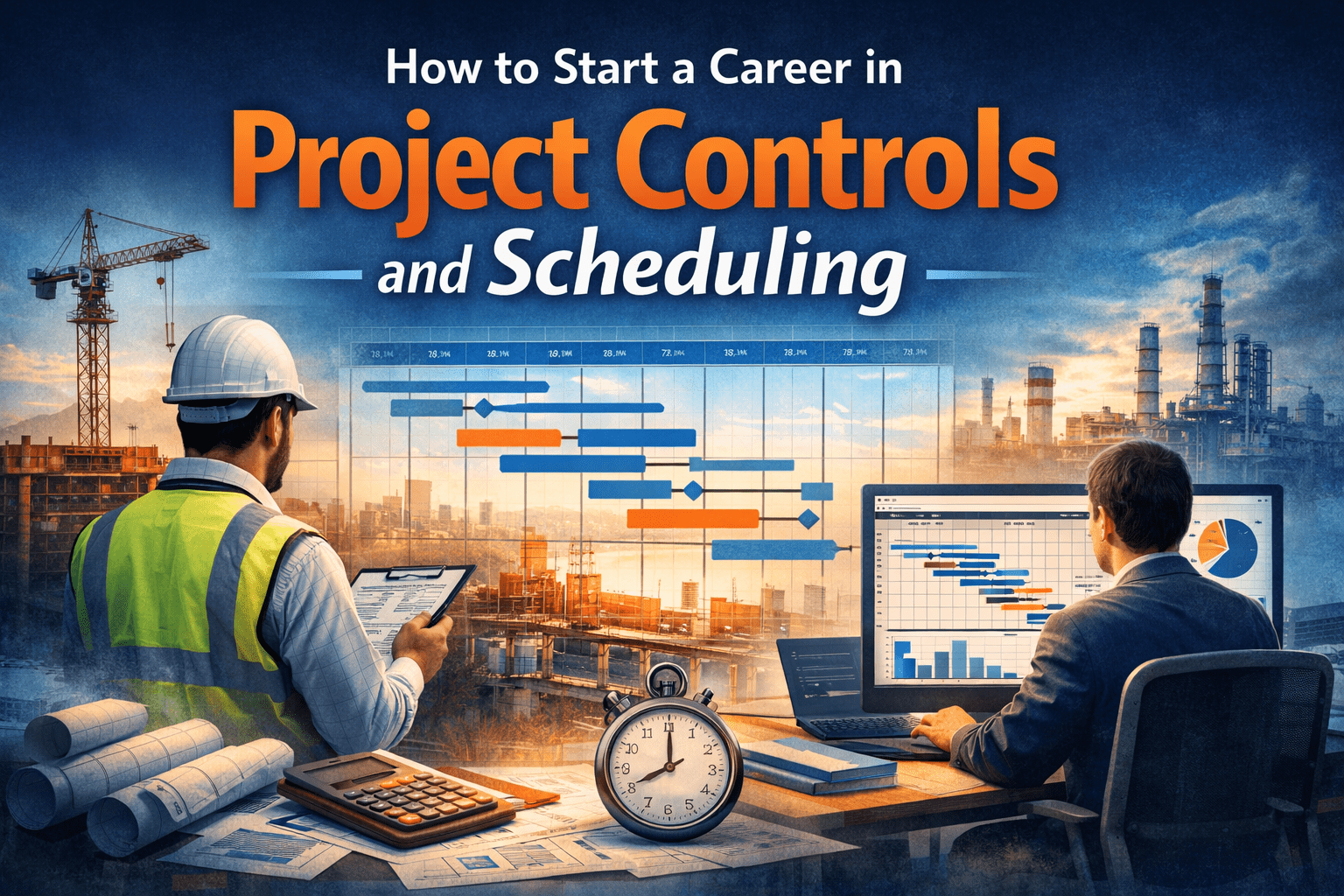
How to start a Career in Project Control and Scheduling

Many project managers are accountable for results but lack strong analytical support. That gap is where project controls professionals create value.

A career in Project Controls and Scheduling matters because:

  • Projects are becoming larger and more complex
  • Owners demand transparency and defensible forecasts
  • Claims and disputes often hinge on schedule and cost data
  • Digital tools and AI rely on structured project information

Schedulers and project controls professionals provide the structure that allows leadership to make decisions with confidence.


Who Is a Good Fit for This Career Path?

You do not need to start as a project manager to enter this field. Many successful professionals come from technical or analytical backgrounds.

This role is a good fit if you:

  • Like structured thinking and logical problem-solving
  • Are comfortable working with data and details
  • Prefer influencing decisions through analysis rather than authority
  • Enjoy understanding how complex systems fit together

Common entry backgrounds include:

  • Engineering and construction
  • Cost estimating or accounting
  • Planning or operations
  • PMO analysts and coordinators
  • IT business analysts

Step-by-Step: How to Start a Career in Project Controls and Scheduling

Step 1: Learn How Projects Are Planned and Measured

Project controls starts with understanding how a project baseline is created.

You should be comfortable with:

  • Work Breakdown Structures (WBS)
  • Logic-driven schedules
  • Baseline scope, schedule, and budget
  • Progress measurement methods

At this stage, focus on concepts, not software buttons.

A strong foundation in planning principles is explained in depth in
[Internal link to Project Control Fundamentals article]


Step 2: Understand Scheduling Logic, Not Just Dates

Many beginners think scheduling is about entering activities and durations. In reality, scheduling is about cause-and-effect logic.

You must understand:

  • Predecessor and successor relationships
  • Critical Path Method (CPM)
  • Float and path sensitivity
  • Constraints versus logic-driven dates

A scheduler’s value comes from explaining why dates move, not just reporting that they did.


Step 3: Build Practical Tool Proficiency

While concepts come first, tools still matter.

Common tools used in a scheduling career include:

  • Primavera P6
  • Microsoft Project
  • ProjectLibre
  • Excel for analysis and reporting
  • Power BI or dashboards for visualization

The goal is not to master every feature, but to:

  • Build clean schedules
  • Maintain baselines
  • Update progress accurately
  • Extract meaningful reports

Step 4: Learn Cost and Schedule Integration

Project controls is not scheduling alone.

You should understand how schedules connect to:

  • Budgets and cost accounts
  • Earned Value Management (EVM)
  • Forecasting and trends
  • Change management

This integration allows project controls professionals to answer questions like:

  • Are we late because of performance or scope growth?
  • Is cost variance temporary or systemic?
  • What is the likely outcome if nothing changes?

Step 5: Gain Real Project Exposure Early

Theory only goes so far. Real projects behave differently.

Look for opportunities to:

  • Assist with schedule updates
  • Support progress collection
  • Review contractor schedules
  • Prepare reports for PMs or owners

Even junior roles provide exposure to real constraints, imperfect data, and decision pressure.


Real-World Examples of Project Controls Careers

Infrastructure Project Example

On a wastewater treatment plant upgrade, the scheduler maintained the integrated master schedule across multiple contractors.

Their work:

  • Identified logic gaps causing artificial float
  • Modeled weather impacts on critical activities
  • Supported time extension evaluations

This role directly influenced negotiation outcomes and protected the owner from unsupported claims.


Engineering Design Project Example

On a transportation design program, a project controls analyst:

  • Aligned deliverables with funding milestones
  • Forecasted design completion trends
  • Supported PMO reporting to executives

This visibility helped leadership prioritize resources across competing projects.


IT Program Example

In an enterprise software rollout, the scheduler:

  • Built dependency-driven sprint schedules
  • Modeled integration risks between systems
  • Provided scenario analysis for go-live decisions

Project scheduling principles applied cleanly, even in an agile environment.


Typical Career Path in Project Controls and Scheduling

LevelTypical RoleFocus
EntryPlanning Engineer / Scheduler ISchedule updates, data collection
Mid-LevelProject Controls EngineerIntegration, analysis, reporting
SeniorLead Scheduler / Controls LeadStrategy, claims support, forecasting
AdvancedPMO Controls ManagerStandards, governance, mentoring

This project control career path rewards skill depth and judgment more than titles.


Common Mistakes to Avoid Early in Your Career

Treating Software as the Job

Tools support decisions. They are not the job itself.

A scheduler who cannot explain the schedule has limited value.


Ignoring Field Reality

Schedules that ignore construction means, access, or sequencing quickly lose credibility.

Strong project controls professionals understand how work actually happens.


Overloading Schedules with Detail

More activities do not mean more accuracy.

Good schedules balance:

  • Clarity
  • Logic
  • Manageability

Avoiding Communication

Project controls is not a back-office role.

You must explain findings clearly to:

  • Project managers
  • Engineers
  • Executives
  • Contractors

Practical Tips You Can Apply Immediately

  • Study one real schedule deeply instead of many shallow examples
  • Practice explaining schedule logic without showing the software
  • Learn how progress is measured, not just entered
  • Ask PMs what decisions they struggle with—and tailor reports to that
  • Build simple dashboards that show trends, not raw data

You can explore reporting approaches in
[Internal link to Budget Dashboard article]


How AI Is Changing Project Controls Careers

AI does not replace project controls professionals. It amplifies those who understand fundamentals.

AI tools can:

  • Detect schedule anomalies
  • Forecast trends faster
  • Generate draft narratives
  • Automate routine reporting

However, AI still relies on clean logic, credible baselines, and professional judgment.

For practical applications, see
[Internal link to AI Prompts for Project Managers article]


Certifications and Education: What Actually Helps

Helpful credentials include:

  • PMP (for broader project management context)
  • Scheduling-focused certifications
  • Cost engineering credentials
  • Owner or agency-specific training

Certifications support credibility, but experience and judgment drive career growth.


Strategic Takeaway: Why This Career Is Worth Pursuing

A career in Project Controls and Scheduling offers a rare combination of stability, relevance, and influence. It allows professionals to shape project outcomes without relying on authority alone.

Strong project controls professionals:

  • Protect owners and contractors from avoidable risk
  • Enable project managers to lead with confidence
  • Provide clarity when projects become complex

For those willing to master planning logic, data integrity, and communication, this career path remains one of the most valuable specialties in modern project management.


AI Prompt Engineering for Project Managers — Complete Guide

AI is no longer a novelty in project management—it is becoming a daily productivity partner. Yet the real differentiator is not which AI tool you use, but how well you communicate with it. This is where AI prompt engineering for project managers becomes a critical skill.

This pillar guide explains prompt engineering from a project management perspective, provides practical frameworks, real project examples, and links to deeper use cases across planning, cost, risk, and PMO functions.


What Is AI Prompt Engineering for Project Managers?

AI prompt engineering is the structured practice of designing clear, contextual, and goal-driven instructions that guide AI systems to produce reliable and useful outputs.

For project managers, prompt engineering is not about coding—it is about: - Translating project context into precise instructions - Defining constraints, assumptions, and outputs - Guiding AI to support decision-making

A well-written prompt can produce: - Accurate schedules - Reliable cost forecasts - Risk registers - Executive-ready reports

A poor prompt produces noise.

👉 Related article: What Is AI Prompt Engineering? A Non-Technical Guide for Project Managers


Why Prompt Engineering Matters in Project Management

Project environments are complex, regulated, and stakeholder-driven. Generic AI responses rarely meet professional PM standards.

Effective prompt engineering allows project managers to: - Improve output accuracy - Reduce rework - Standardize AI-assisted processes - Maintain governance and compliance - Scale productivity across teams

As AI becomes embedded in PM tools, prompt quality directly impacts project outcomes.

👉 Related article: Why Prompt Engineering Matters for Project Managers


How Project Managers Should Think About AI Prompts

Project managers should approach prompts the same way they approach: - Scope statements - Requirements definitions - Work packages

Every prompt should clearly define: - Role (Who the AI is acting as) - Objective (What problem is being solved) - Context (Project type, constraints, assumptions) - Output (Format, level of detail, audience)

Prompt engineering is structured communication—not experimentation.

👉 Related article: How Project Managers Should Think About AI Prompts


Core AI Prompt Frameworks for Project Managers

1. ROLE Framework

  • Role: Act as a project controls manager
  • Objective: Analyze cost performance
  • Limits: Use provided data only
  • Expectations: Executive-level summary

2. CRISP Framework

  • Context – Project background
  • Request – Specific task
  • Inputs – Data or assumptions
  • Structure – Output format
  • Perspective – PM, sponsor, or PMO

3. STAR Adapted for AI

  • Situation – Project scenario
  • Task – Required analysis
  • Action – Steps AI should follow
  • Result – Desired output

These frameworks dramatically improve consistency and reliability.

👉 Related article: Core Prompt Frameworks for Project Management


AI Prompt Use Cases Across the Project Life Cycle

Initiation & Planning

  • Drafting project charters
  • Creating WBS structures
  • Developing baseline schedules

Cost Management

  • Budget development
  • Forecasting EAC
  • Cost trend analysis

Risk & Issue Management

  • Risk identification
  • Qualitative and quantitative analysis
  • Mitigation strategy development

Stakeholder Communication

  • Status reports
  • Executive summaries
  • Meeting briefings

PMO & Portfolio Management

  • KPI development
  • Portfolio dashboards
  • Governance documentation

Advanced Prompt Techniques for Complex Projects

Advanced projects often require: - Multi-step reasoning - Scenario comparisons - Iterative refinement

Advanced techniques include: - Chain-of-thought prompting - Prompt stacking - Scenario-based prompting - Constraint-driven prompting

These methods allow AI to support complex decision-making, not just documentation.

👉 Related article: Advanced Prompt Techniques for Complex Projects


Risks, Ethics, and Governance in AI Prompt Engineering

Project managers must remain accountable for AI-assisted outputs.

Key risks include: - Data confidentiality - Bias in recommendations - Over-reliance on AI outputs - Regulatory non-compliance

Best practices: - Never upload confidential data - Validate AI outputs - Maintain human approval checkpoints - Align with organizational AI governance

👉 Related article: Prompt Engineering Risks, Ethics, and Governance


Tools That Support Prompt Engineering for Project Managers

Popular tools include: - ChatGPT - Microsoft Copilot - Notion AI - Jira and Asana AI features

The value lies not in the tool—but in the quality of prompts.

👉 Related article: Tools That Support Prompt Engineering


The Future of AI Prompt Engineering in Project Management

As AI evolves: - Prompts will become reusable assets - Organizations will standardize prompt libraries - PMOs will govern AI usage - Prompt engineering will become a core PM competency

Project managers who master this skill early will lead the next generation of project delivery.

👉 Related article: The Future of AI Prompt Engineering


Frequently Asked Questions

What is AI prompt engineering in project management?
It is the practice of designing structured instructions that guide AI tools to support project planning, cost, risk, and reporting tasks.

Do project managers need technical skills to use AI prompts?
No. Prompt engineering relies on structured thinking, not coding.

Can AI prompts replace project managers?
No. AI supports analysis and documentation, while humans retain judgment, leadership, and accountability.


Final Thoughts

AI prompt engineering is quickly becoming a foundational skill for modern project managers.

Those who master structured prompting will gain: - Faster execution - Better insights - Improved governance - Stronger stakeholder confidence

This pillar page serves as the foundation for PM Intelli’s complete AI prompt engineering knowledge hub.


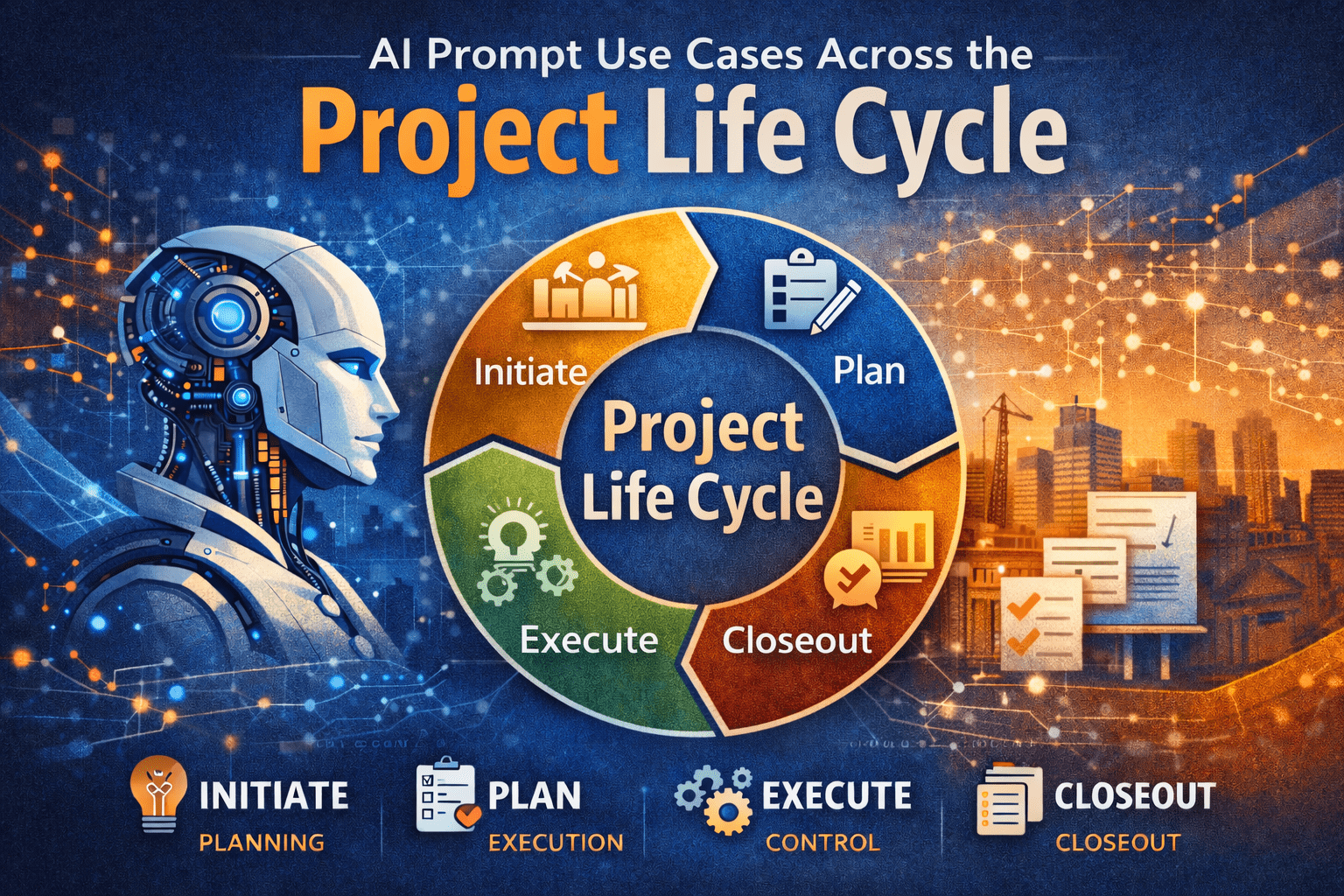
AI Prompt Use Cases Across the Project Life Cycle

Project managers are trained to think in phases. We initiate, plan, execute, monitor, and close. Each phase has different information needs, decision pressures, and stakeholder expectations. This is exactly why AI prompts across project life cycle matter.

AI is not a single-use tool for drafting emails or summarizing notes. When used deliberately, AI prompts can support every phase of the project life cycle, from early concept development through closeout and lessons learned. The value comes from aligning prompts with how projects actually progress, not from treating AI as a generic assistant.

This article explains, step by step, how project managers can apply AI prompts across the project life cycle in a practical, disciplined way—without technical jargon or unrealistic promises.


Why AI Prompts Matter Across the Project Life Cycle

Each project phase answers a different question:

  • Initiation: Should we do this project?
  • Planning: How will we deliver it?
  • Execution: Are we building what we planned?
  • Monitoring: Are we still in control?
  • Closeout: What did we learn?

AI becomes useful when prompts are designed to support those specific questions.

Unstructured prompts tend to produce:

  • Generic advice
  • Misaligned outputs
  • Content that does not fit PM workflows

Well-structured AI prompts across project life cycle help PMs:

  • Think faster, not sloppier
  • Draft first-pass deliverables
  • Improve clarity and consistency

For a deeper foundation on prompt design, see:
https://pmintelli.com/beyond-chatgpt-essential-ai-prompts-every-project-manager-should-master/


Understanding AI Prompts in Project Management Terms

An AI prompt is not a command. It is closer to a scope definition.

A strong prompt answers:

  • What role should AI play?
  • What project context applies?
  • What output is needed?
  • What constraints exist?

This mirrors how project managers already think. That is why AI prompts fit naturally into professional project management.


AI Prompts in the Initiation Phase

Purpose of the Initiation Phase

Initiation focuses on alignment:

  • Business need
  • High-level scope
  • Feasibility and risks

AI can support structured thinking before major commitments are made.


Example AI Prompt Use Cases

Use Case 1: Project Charter Drafting

Prompt example:

Act as a senior project advisor.
The project is a municipal infrastructure upgrade with multiple stakeholders.
Draft a concise project charter outline focusing on objectives, constraints, and success criteria.

AI helps generate a starting point, not a final document.


Use Case 2: Stakeholder Identification

AI prompts can help list:

  • Likely stakeholder groups
  • Typical concerns by role
  • Communication expectations

This works well when PMs are entering unfamiliar domains.


Practical Tip

Always review AI-generated initiation content against governance requirements. AI does not understand your organization’s approval thresholds.


AI Prompts in the Planning Phase

Why Planning Is the Highest-Value Phase for AI

Planning is documentation-heavy and logic-driven. That makes it ideal for AI prompts across project life cycle.

AI supports:

  • Structure
  • Consistency
  • First-pass drafts

For project controls fundamentals that align closely with planning prompts, see:
https://pmintelli.com/project-control-explained-the-foundation-of-successful-project-management/


Planning Use Cases and Prompt Examples

Scope Definition and WBS Support

Prompt example:

Act as a project controls specialist.
The project is a water treatment facility upgrade.
Develop a Level 2 WBS aligned with engineering, procurement, and construction phases.

AI helps accelerate early structuring.


Schedule Logic Review

AI can review narrative logic:

  • Sequence assumptions
  • Missing dependencies
  • Phase overlaps

This is especially useful before formal schedule submission.


Risk Register Development

Prompt example:

Identify key planning-phase risks for an IT system integration project.
Focus on interfaces, data migration, and change management.
Present results in a simple risk register table.


Table: Planning Phase AI Prompt Outputs

Planning AreaAI SupportPM Responsibility
ScopeDraft structureFinal validation
ScheduleLogic reviewTechnical accuracy
RiskRisk identificationPrioritization

AI Prompts During Execution

Execution Is About Clarity, Not Creativity

During execution, AI should support:

  • Communication
  • Documentation
  • Issue framing

AI is not managing work—it is supporting the PM.


Execution Phase Use Cases

Daily and Weekly Reporting

Prompt example:

Summarize field progress notes into a weekly status update.
Highlight accomplishments, constraints, and upcoming activities.
Keep language suitable for non-technical stakeholders.


Change and Issue Framing

AI can help PMs:

  • Structure issue descriptions
  • Separate facts from opinions
  • Draft neutral narratives

This is especially helpful in contract-heavy environments.


Real-World Example: Infrastructure Project

On a roadway rehabilitation project, the PM used AI to:

  • Draft weekly traffic impact summaries
  • Standardize contractor updates
  • Reduce report preparation time

The PM still approved all content, but preparation time dropped significantly.


AI Prompts in Monitoring and Controlling

Where AI Supports Project Controls

Monitoring is about variance, trends, and early warning. AI can help explain data—not replace it.

For dashboard-related insights that pair well with AI-generated narratives, see:
https://pmintelli.com/top-ai-tools-for-construction-project-control/


Monitoring Use Cases

Variance Explanation

Prompt example:

Explain schedule variance drivers based on delayed procurement and weather impacts.
Keep explanation factual and suitable for executive reporting.


Trend Identification

AI can review:

  • Cost narratives
  • Schedule updates
  • Risk logs

And help identify recurring themes worth escalation.


Table: Monitoring Phase AI Applications

Control AreaAI RolePM Value
CostNarrative explanationClear communication
ScheduleTrend summariesFaster insight
RiskPattern detectionEarly response

AI Prompts in Project Closeout

Why Closeout Is Often Rushed

Closeout happens when attention shifts to the next project. AI can help capture knowledge before it is lost.


Closeout Use Cases

Lessons Learned Development

Prompt example:

Draft lessons learned for a completed ERP implementation.
Focus on planning assumptions, integration challenges, and stakeholder coordination.


Final Report Structuring

AI can:

  • Organize closeout sections
  • Standardize language
  • Improve clarity

The PM ensures accuracy and completeness.


PMO Example

A PMO used AI prompts to:

  • Normalize lessons learned across projects
  • Identify recurring delivery risks
  • Improve organizational learning

For PMO-focused insights, see:
https://pmintelli.com/tag/pmo/


Common Mistakes to Avoid

1. Using the Same Prompt for Every Phase

Each phase has different objectives. Prompts must change accordingly.


2. Skipping Context

AI without context produces generic output.


3. Treating AI Output as Final

AI drafts. PMs decide.


4. Overloading Prompts

Break tasks into steps, just like real project work.


Practical Tips PMs Can Apply Immediately

  • Create prompt templates by project phase
  • Save high-performing prompts for reuse
  • Align prompts with PMO standards
  • Review AI output like junior staff work
  • Focus on clarity over cleverness

For a broader collection of PM-focused AI content, explore:
https://pmintelli.com/articles/


Strategic Takeaway

AI does not replace project management discipline. It rewards it.

Project managers who apply AI prompts across project life cycle gain speed, consistency, and clarity—without losing control. The advantage is not technical skill. It is structured thinking applied to modern tools. Used properly, AI becomes part of the project management system—not a distraction from it.

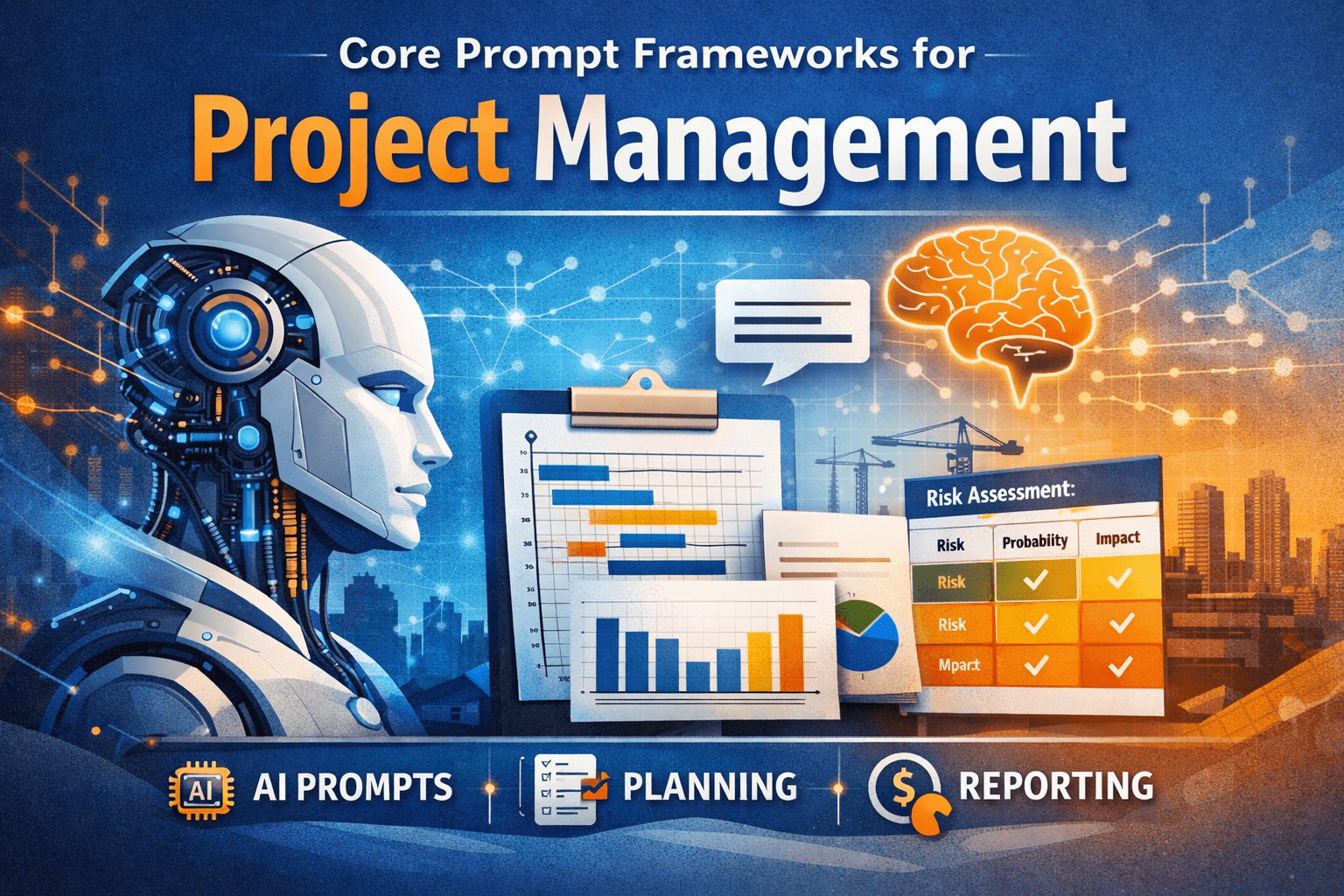
Core Prompt Frameworks for Project Management

Artificial intelligence is quickly becoming a practical assistant for project professionals—not as a decision-maker, but as a force multiplier. When used correctly, ai prompts for project managers can support planning, reporting, risk analysis, and stakeholder communication without replacing professional judgment.

However, many project managers struggle to get consistent value from AI tools. The issue is rarely the tool itself. It is the way the request—the prompt—is framed.

This article explains core prompt frameworks for project management, built from first principles and real project experience. You will learn how to structure prompts so AI produces outputs that align with how projects are actually managed: with constraints, accountability, and context.


Why Prompt Frameworks Matter for Project Managers

Project managers do not ask vague questions in real projects. We define scope, clarify assumptions, and specify constraints. AI works the same way.

Without structure, AI responses tend to be:

  • Overly generic
  • Misaligned with project realities
  • Difficult to apply directly

With structured prompts, AI can:

  • Draft first-pass schedules, reports, and analyses
  • Reframe complex information for executives
  • Support project controls without replacing expertise

This is why ai prompts for project managers should be treated as a professional skill, similar to writing a clear scope statement or risk register.


What Is a Prompt Framework?

A prompt framework is a repeatable structure for asking AI to perform a task.

It ensures the AI understands:

  • Who it is supporting
  • What role it should assume
  • What inputs it can rely on
  • What output format is required
  • What constraints must be respected

Think of a prompt framework as a mini work plan for the AI.


The Core Elements of Effective AI Prompts for Project Managers

Before diving into specific frameworks, it helps to understand the building blocks common to all effective prompts.

1. Role Definition

Tell the AI who it should act as.

Examples:

  • Project controls analyst
  • Scheduler supporting an infrastructure project
  • PMO advisor preparing executive material

This sets the tone and depth of the response.


2. Project Context

AI does not know your project unless you tell it.

Include:

  • Project type (engineering, IT, construction, PMO)
  • Delivery method (design-bid-build, agile, CM-at-risk)
  • Phase (planning, execution, closeout)

Context reduces irrelevant content.


3. Task Objective

State exactly what you want produced.

Avoid:

“Help me with my schedule.”

Prefer:

“Draft a high-level milestone schedule for stakeholder communication.”


4. Constraints and Assumptions

Projects operate under limits. AI should too.

Examples:

  • Assume incomplete data
  • Limit to one page
  • Avoid technical jargon
  • Align with PMBOK terminology

5. Output Format

Specify how the answer should be delivered.

Options include:

  • Bullet points
  • Tables
  • Step-by-step instructions
  • Executive summary

This makes the output usable immediately.


Core Prompt Frameworks for Project Management

Below are practical prompt frameworks project managers can reuse across different project types.


Framework 1: The Role–Context–Task (RCT) Framework

This is the most versatile framework for daily PM work.

Structure

  1. Role – Who the AI is acting as
  2. Context – What project environment it supports
  3. Task – What needs to be produced

Example Prompt

Act as a project controls analyst supporting a municipal infrastructure project.
The project is in early execution with partial cost and schedule data.
Draft a concise monthly status summary highlighting schedule risks and cost trends for senior management.

Where This Works Best

  • Status reports
  • Executive summaries
  • Risk narratives

This framework is ideal when speed matters and inputs are incomplete.


Framework 2: The Input–Process–Output (IPO) Framework

Project managers naturally think in terms of inputs and outputs. This framework mirrors that logic.

Structure

  • Inputs – What data is available
  • Process – What analysis or thinking is required
  • Output – What format the result should take

Example Prompt

Inputs: Weekly progress notes, baseline milestones, and key deliverables.
Process: Analyze progress against planned milestones and identify slippage drivers.
Output: A table summarizing planned vs. actual milestones with short explanations.

Where This Works Best

  • Schedule reviews
  • Cost variance explanations
  • Lessons learned

This approach aligns well with project controls workflows.
[Internal link to Project Control Fundamentals article]


Framework 3: The Constraint-Driven Prompt

AI tends to overproduce content unless constrained. This framework keeps responses focused.

Structure

  • Task definition
  • Explicit constraints
  • Quality criteria

Example Prompt

Prepare a risk register draft for an IT system implementation.
Constraints:
– Limit to 8 risks
– Focus on integration and change management
– Use non-technical language
– Present in a table with probability and impact

Where This Works Best

  • Risk workshops
  • Stakeholder-facing material
  • PMO templates

Framework 4: The Iterative Refinement Framework

This framework treats AI as a junior analyst whose work improves through direction.

Step-by-Step

  1. Generate a first draft
  2. Review and critique
  3. Refine with targeted follow-up prompts

Example Sequence

  • “Draft a preliminary work breakdown structure for a water treatment upgrade.”
  • “Refine this WBS to align with construction sequencing.”
  • “Reduce this to Level 2 for executive review.”

This mirrors how PMs already manage deliverables.


Framework 5: The Perspective-Shifting Framework

Different stakeholders care about different things. This framework adapts outputs to the audience.

Example Prompt

Rewrite this schedule narrative from the perspective of:
– An executive sponsor
– A field superintendent
– A PMO reviewer

Where This Works Best

  • Stakeholder communications
  • Steering committee decks
  • Claims avoidance documentation

Real-World Project Examples

Engineering Project Example

A project manager on a roadway rehabilitation project needs a briefing note for city leadership.

Using an ai prompts for project managers framework:

  • Role: Transportation PM advisor
  • Context: Urban infrastructure with traffic constraints
  • Task: One-page executive briefing

Result: A focused narrative explaining delays without technical overload.


IT Project Example

A PMO supporting an ERP rollout uses AI to standardize reporting.

Framework used:

  • IPO framework for weekly reports
  • Constraint-driven prompts for dashboard summaries

Outputs integrate smoothly into existing PMO processes.
[Internal link to Budget Dashboard article]


PMO Example

A PMO lead needs to train new project managers.

Using iterative prompts, AI helps:

  • Draft training outlines
  • Create case scenarios
  • Prepare discussion questions

This reduces prep time without sacrificing quality.


Common Mistakes to Avoid

Even experienced PMs make these mistakes when using AI.

1. Asking Vague Questions

AI reflects the clarity of the prompt. Vague prompts produce vague outputs.


2. Ignoring Project Context

Without context, AI defaults to generic advice.


3. Treating AI Output as Final

AI drafts. PMs decide.


4. Overloading a Single Prompt

Break complex tasks into stages, just like real project work.


Practical Tips Project Managers Can Apply Immediately

  • Save prompt frameworks as reusable templates
  • Start with executive-level outputs, then refine
  • Use AI to draft, not approve
  • Align prompts with existing PMO standards
  • Review AI output the same way you review junior staff work

For more hands-on examples, see:
[Internal link to AI Prompts for Project Managers article]


How Prompt Engineering Fits into Project Management Practice

Prompt engineering is not a technical skill. It is an extension of:

  • Clear scope definition
  • Structured thinking
  • Professional communication

In that sense, ai for project managers reinforces core PM competencies rather than replacing them.


Strategic Takeaway

AI will not manage projects for you. But project managers who master prompt frameworks will manage projects more effectively with AI.

The advantage does not come from the tool. It comes from:

  • Clear thinking
  • Structured requests
  • Professional judgment

When prompts reflect how projects are actually run, AI becomes a reliable support system—not a distraction.

The Complete Guide to the Project Life Cycle

Every successful project—whether it’s building infrastructure, launching software, or implementing AI—follows a structured journey known as the Project Life Cycle. Understanding this life cycle is foundational to effective project management, better decision-making, and predictable outcomes.

In this guide, we break down each phase of the project life cycle, explain what happens in practice, and share real-world examples to show how theory translates into execution.


What Is the Project Life Cycle?

The Project Life Cycle is a structured sequence of phases that a project goes through from start to finish. It provides a framework for planning, executing, controlling, and closing work in a disciplined and repeatable way.

While methodologies may differ (Waterfall, Agile, Hybrid), most projects follow five core phases:

  1. Initiation
  2. Planning
  3. Execution
  4. Monitoring & Controlling
  5. Closing

Each phase has clear objectives, deliverables, and decision points.


Phase 1: Project Initiation

Purpose

The initiation phase defines why the project exists and whether it should proceed.

Key Activities

  • Identify the business need
  • Define high-level scope
  • Identify stakeholders
  • Assess feasibility and risks
  • Develop a project charter

Key Deliverables

  • Project Charter
  • Stakeholder Register
  • High-level Risk Assessment

Real Example

Construction Project:
A city identifies recurring flooding issues. During initiation, engineers assess feasibility, funding sources, and environmental constraints before approving a drainage improvement project.

IT / AI Project:
A company explores using AI to automate schedule updates. A business case is created to evaluate ROI, data readiness, and integration complexity before approving development.


Phase 2: Project Planning

Purpose

Planning establishes how the project will be executed, monitored, and controlled.

Key Activities

  • Define detailed scope
  • Create the Work Breakdown Structure (WBS)
  • Develop the schedule
  • Estimate costs and create a budget
  • Identify risks and mitigation strategies
  • Define communication and quality plans

Key Deliverables

  • Project Management Plan
  • Schedule (CPM or Agile roadmap)
  • Cost Estimate & Budget
  • Risk Register

Real Example

Infrastructure Project:
A highway resurfacing project develops a WBS broken into lanes, work zones, and phases. The schedule accounts for traffic control, night work, and weather risks.

Software Project:
A SaaS team creates sprint plans, defines user stories, estimates effort, and uses AI tools to forecast delivery risks based on historical velocity.


Phase 3: Project Execution

Purpose

Execution is where plans are turned into tangible results.

Key Activities

  • Perform project work
  • Manage teams and resources
  • Execute procurement
  • Communicate with stakeholders
  • Implement quality assurance

Key Deliverables

  • Completed deliverables
  • Performance reports
  • Updated issue logs

Real Example

Utility Project:
Crews install duct banks, manholes, and conduits while inspectors verify work meets specifications. Daily reports capture progress and issues.

Digital Transformation Project:
Developers build features, AI models are trained, and integrations are tested. Generative AI may assist with documentation and test case generation.


Phase 4: Monitoring & Controlling

Purpose

This phase ensures the project stays on track in terms of scope, schedule, cost, and quality.

Key Activities

  • Track performance metrics
  • Compare planned vs. actual progress
  • Manage changes
  • Update risk and issue logs
  • Implement corrective actions

Key Deliverables

  • Status reports
  • Forecasts (schedule & cost)
  • Approved change requests

Real Example

Capital Project:
Earned Value Management (EVM) shows schedule slippage due to material delays. The team re-sequences work and accelerates critical activities.

AI-Enabled PMO:
AI tools analyze trends across multiple projects, predict delays, and recommend resource reallocation before issues become critical.


Phase 5: Project Closing

Purpose

Closing formally completes the project and captures lessons learned.

Key Activities

  • Finalize deliverables
  • Obtain client acceptance
  • Close contracts
  • Release resources
  • Document lessons learned

Key Deliverables

  • Final project report
  • Lessons learned register
  • Closeout documentation

Real Example

Public Sector Project:
After final inspections, as-built drawings are submitted, warranties are recorded, and the project is formally accepted by the owner.

Technology Project:
The system goes live, support transitions to operations, and the team documents performance metrics and improvement opportunities.


Why the Project Life Cycle Matters

Understanding the project life cycle helps organizations:

  • Improve predictability and control
  • Reduce risks and surprises
  • Enhance communication
  • Align strategy with execution
  • Leverage AI more effectively across phases

Projects that skip phases—or rush through them—often suffer from scope creep, delays, and cost overruns.


The Role of AI Across the Project Life Cycle

AI is increasingly embedded in every phase:

  • Initiation: Business case analysis, feasibility modeling
  • Planning: WBS generation, schedule optimization, risk identification
  • Execution: Automated reporting, resource optimization
  • Monitoring: Predictive analytics, prescriptive recommendations
  • Closing: Lessons learned extraction and knowledge management

AI doesn’t replace project managers—it augments decision-making and insight.


Final Thoughts

The project life cycle is more than a textbook concept—it’s a practical roadmap for delivering successful outcomes. Whether you’re managing construction projects, IT systems, or AI initiatives, mastering each phase gives you a powerful advantage. At PM Intelli Hub, we focus on combining project management fundamentals with modern AI tools to help professionals lead smarter, more resilient projects.

(Artificial intelligence tools contributed to the development of this article.)

Project Control Explained

At PM Intelli Hub, we focus on helping project professionals master project management, project controls, and emerging AI tools that drive better decision-making. The following video introduces one of the most critical disciplines in modern project delivery: Project Control.

Project Control is the backbone of successful projects. It provides the structure and visibility needed to manage scope, schedule, cost, and performance—ensuring projects stay aligned with objectives from planning through closeout.

What Is Project Control?

Project Control is a systematic approach to planning, monitoring, and controlling project performance. It transforms raw project data into actionable insights that allow teams to identify risks early, forecast outcomes accurately, and take corrective action before issues impact delivery.

Unlike basic reporting, Project Control integrates:

  • Schedule data (CPM schedules and milestones)
  • Cost data (budgets, commitments, and actuals)
  • Scope definition and change management
  • Performance metrics and forecasting

This integration enables proactive management instead of reactive problem-solving.

Core Elements of Project Control

the following key components form a strong project control framework:

Schedule Control
Monitoring progress against the baseline schedule to identify delays, float erosion, and sequencing issues using CPM scheduling techniques.

Cost Control
Tracking budgets, costs, and forecasts to prevent overruns and support informed financial decisions.

Performance Measurement
Analyzing productivity and efficiency using objective data to evaluate how well the project is performing.

Integrated Project Controls
Aligning scope, schedule, and cost so that changes are evaluated holistically and impacts are clearly understood.

Why Project Control Matters

Effective Project Control allows organizations to:

  • Deliver projects on time and within budget
  • Improve forecast accuracy and predict outcomes earlier
  • Reduce risk through data-driven decision-making
  • Increase transparency for owners, executives, and stakeholders
  • Support claims avoidance and defensible project documentation

In today’s complex projects—especially in construction, infrastructure, and engineering—strong project controls are no longer optional. They are essential.

Who Should Learn Project Control?

Project Control principles apply to:

  • Project Managers and Assistant Project Managers
  • Schedulers and Planning Engineers
  • Cost Engineers and Estimators
  • Owners, PMOs, and Executives
  • Construction, Infrastructure, and Capital Program Teams

At PM Intelli Hub, we emphasize practical, real-world project control knowledge—enhanced with AI tools and automation—to help professionals work smarter and deliver better results.

Final Thoughts

This video serves as an introduction to Project Control as a strategic capability, not just a reporting function. Mastering project controls empowers teams to manage uncertainty, control risk, and consistently achieve successful project outcomes.

Follow PM Intelli Hub for expert insights on project management, project controls, CPM scheduling, cost management, and AI-powered project delivery.

image_print